



Contacts
All your customers in one place
Contacts appear when someone writes. Add your own, sort them into lists and never forget to call back.
No card needed · Sign in with an e-mail code
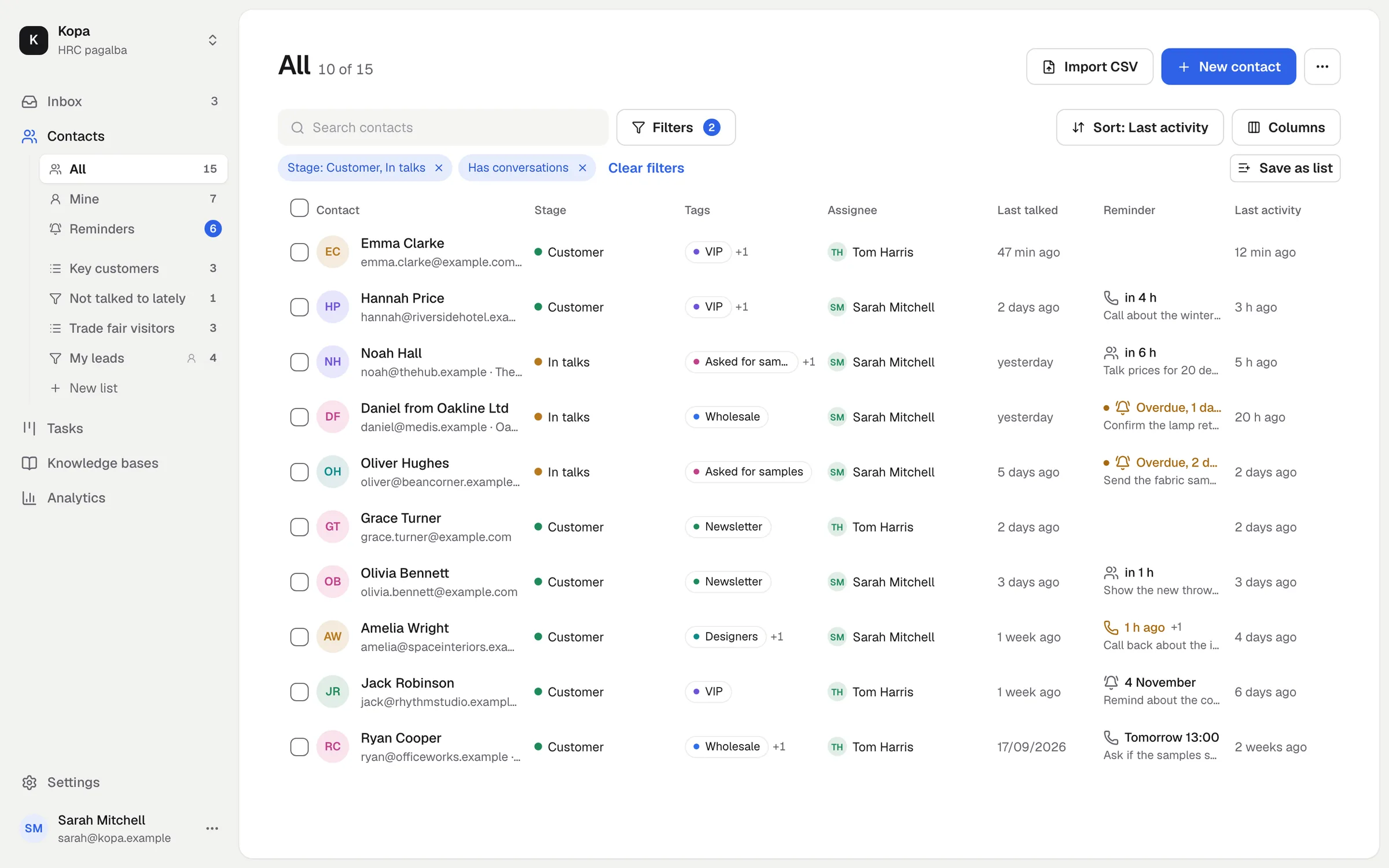
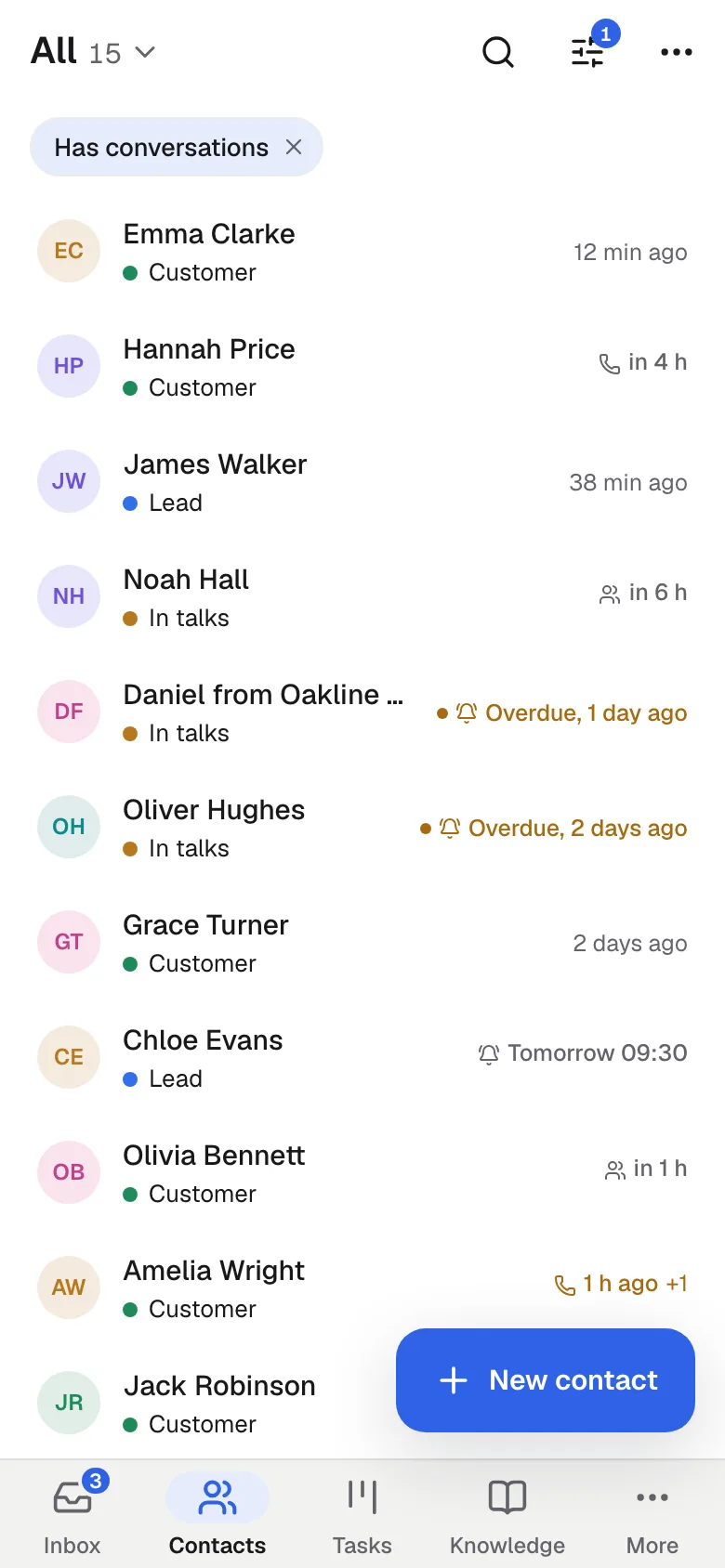
The customer's whole story
Conversations, notes, calls, meetings and site activity in one feed. You see who changed the stage or the assignee, and when.
- Notes are for your team only
- Write an e-mail right from the contact
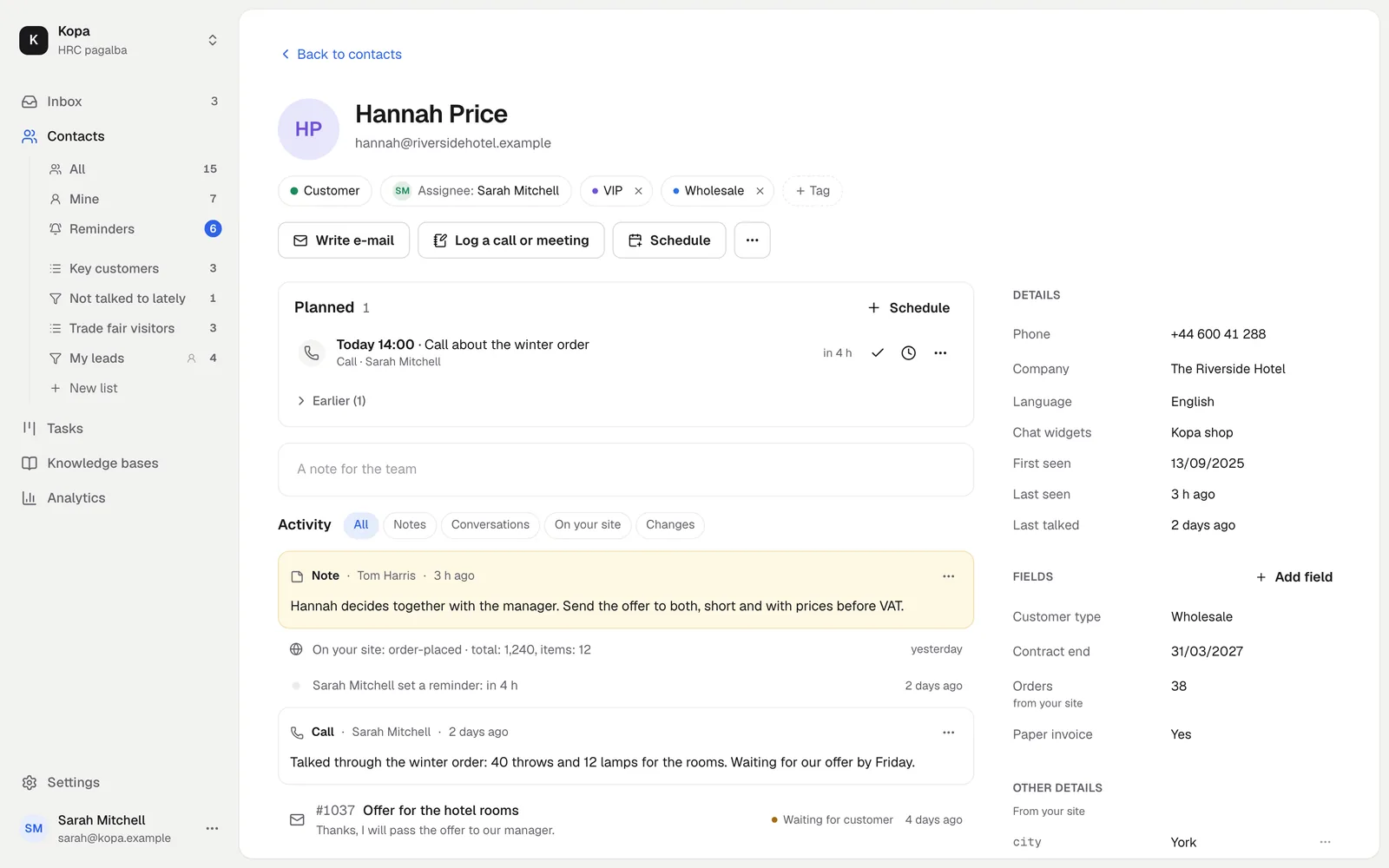
Lists in your menu
Build a list by hand or save your filters. The list shows up in the menu under Contacts and opens in one click.
- A list by filters updates by itself
- The whole team sees it, or only you
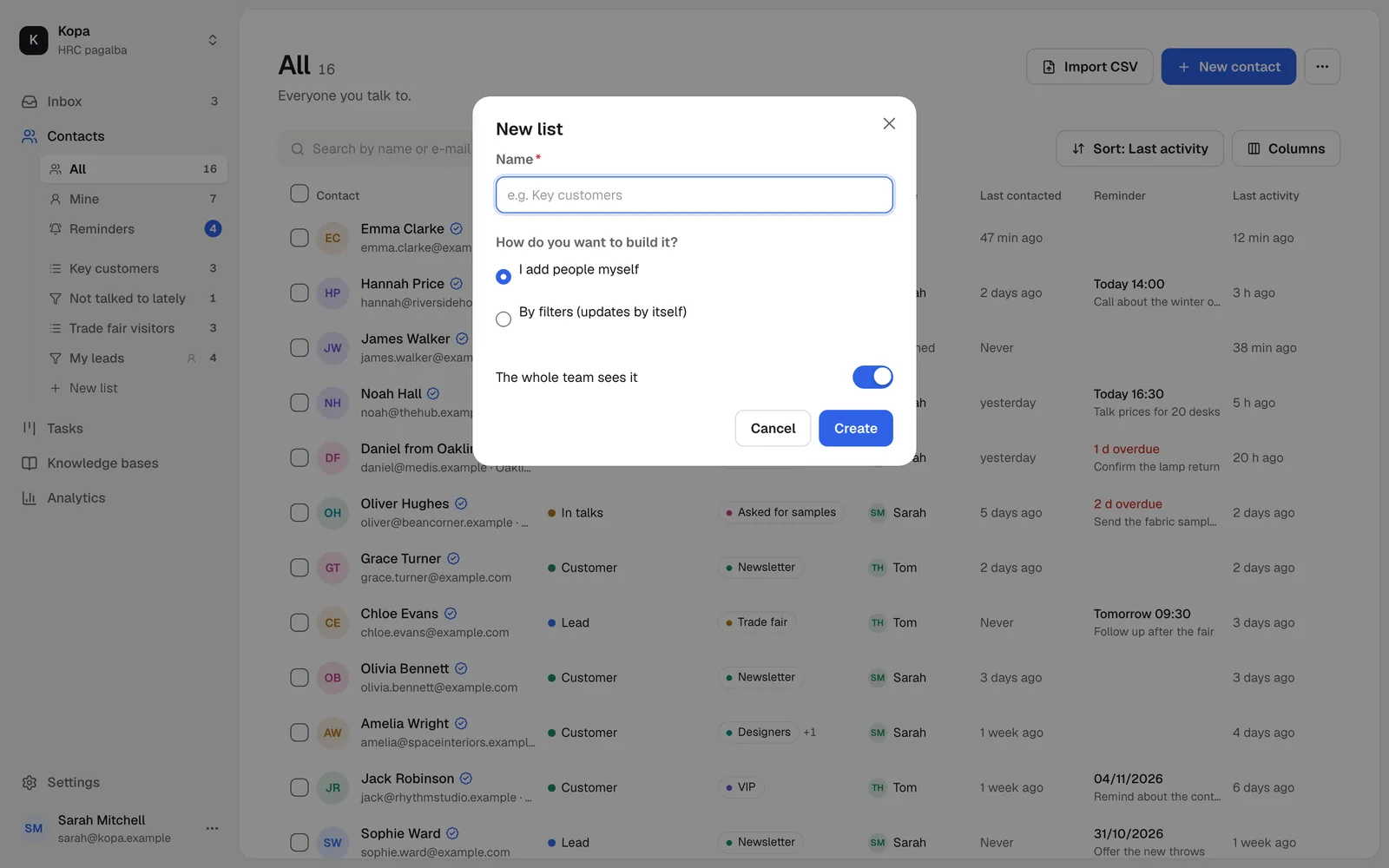
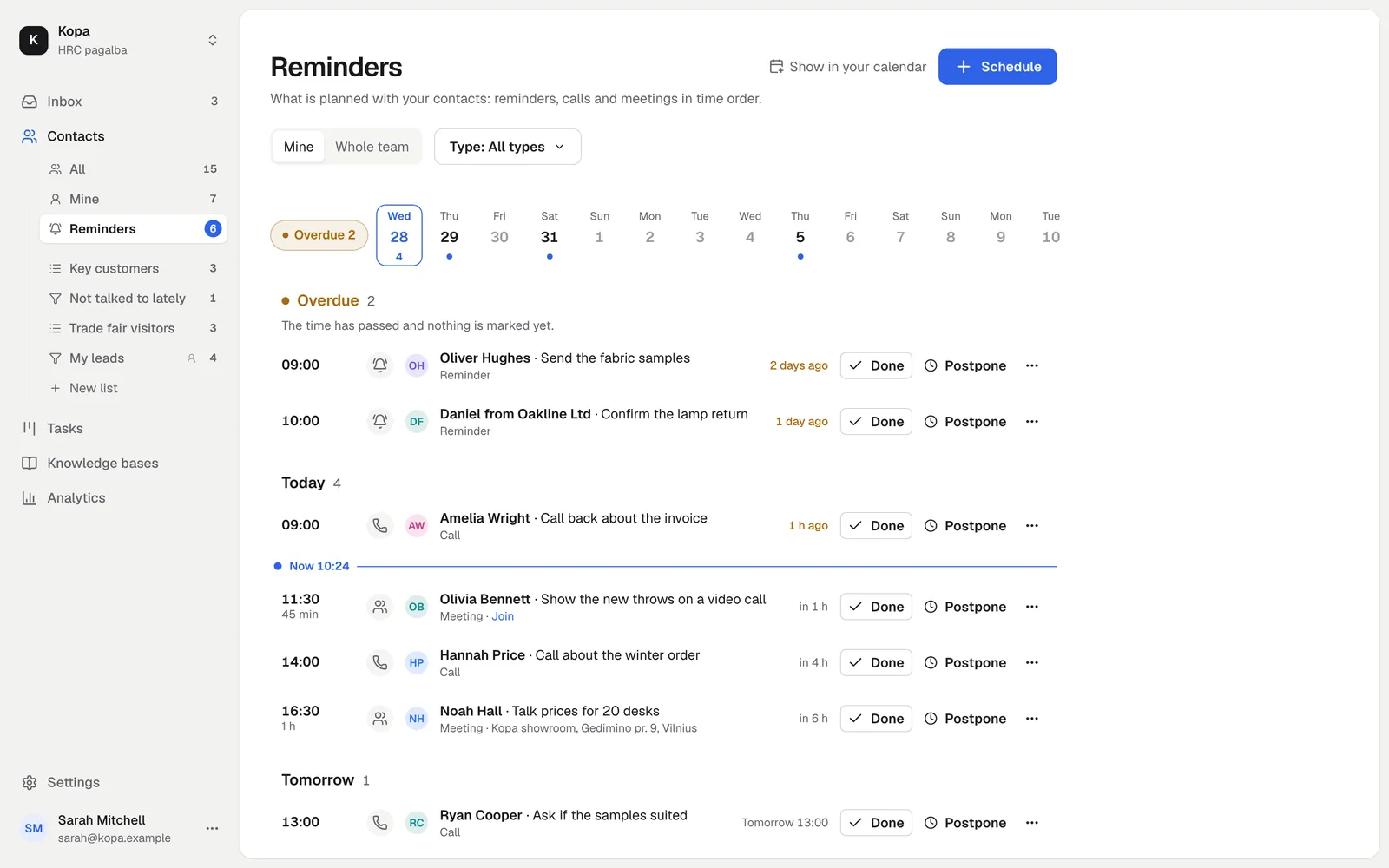
Reminders and last contacted
Set when to write or call. The Reminders list shows today's and overdue ones, and a Telegram notice comes on time.
- Last contacted is counted for you
- A filter shows who you have not talked to for a while
Import and export
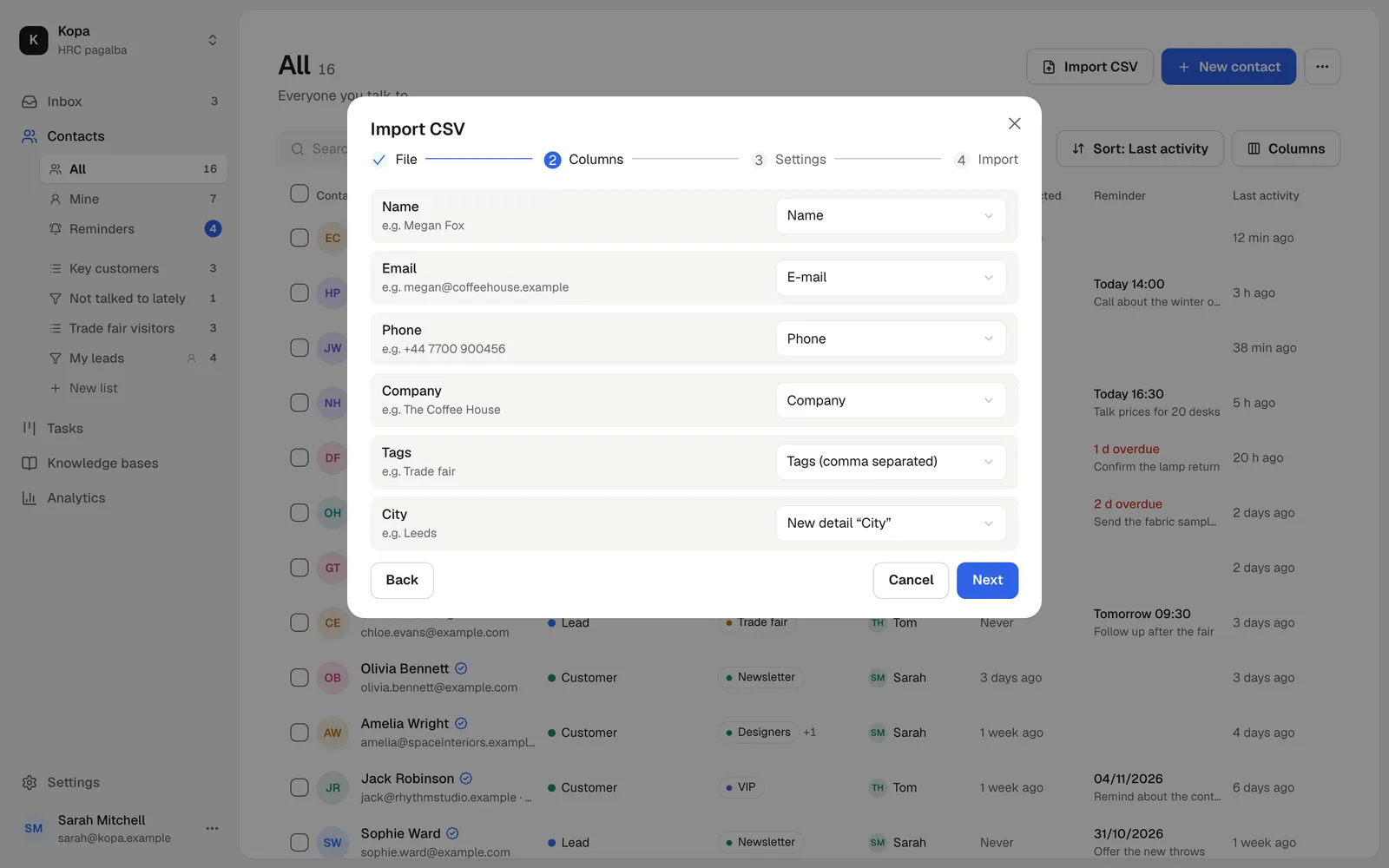
Upload a CSV file from Excel or another system. Columns are recognized for you, and existing contacts are updated, not duplicated.
- Up to 5000 rows at a time
- Export to a CSV that opens in Excel
Data from your own system
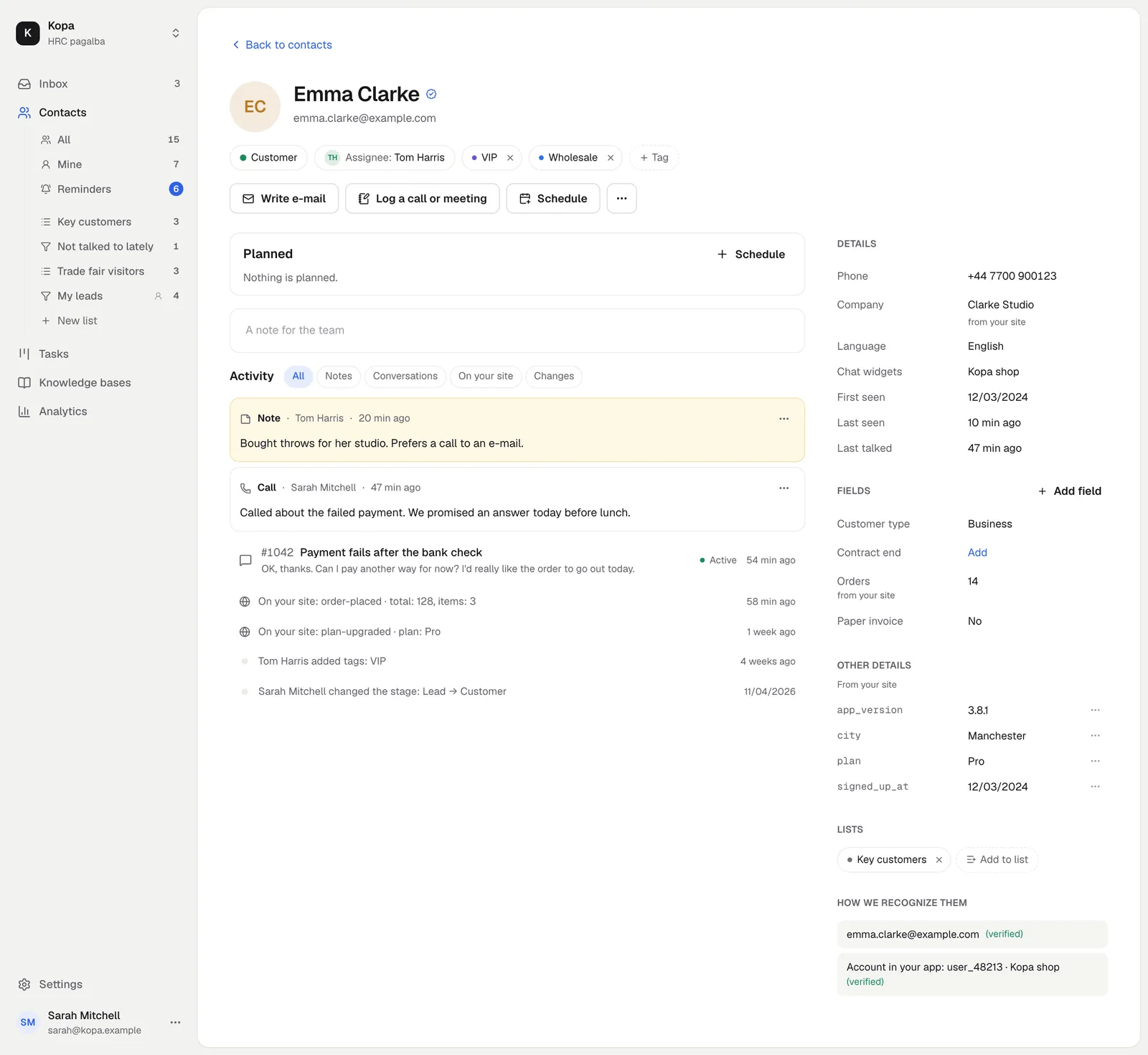
Send the plan, orders or the contract end from your site or your server through the API. They show on the contact with their source.
- Your own fields: text, number, date, yes or no, choice, link
- AI agents see and update contacts over MCP
E-mail address checks
Before you send, check that your contacts' e-mail addresses really exist. Pick contacts or a whole list and press “Check e-mails”.
Every contact gets a mark: valid, risky or bad, and a filter shows only the ones you can safely write to. A check is valid for 3 months, and we never charge again for repeated or recently checked addresses.
We work with MillionVerifier: by its own figures, more than 70,000 businesses use it and its accuracy is above 99%. Fewer bounced e-mails, a better sender reputation.
How to start
- 1
Add your contacts
By hand, from a CSV file, or they appear by themselves.
- 2
Install the chat widget
Whoever writes becomes a contact.
- 3
Send data through the API
From your own system to the contact.
Questions
Is this a full CRM?
No. It is simple customer management for support and sales: stages, assignee, tags, lists, fields, notes and reminders. There are no deals, campaigns or automation rules.
How much does it cost?
Contacts, lists and reminders are part of the free basics. E-mail address checks cost €0.002 per address, the first 5 are free. Lists from a registry include 100 companies free in total, one time, and the "Companies from registries" add-on gives more from €15 a month.
How many lists and fields can I create?
Up to 50 team lists per company, 20 personal lists per member and 30 fields.