



AI answers
AI drafts the reply, and you make the call
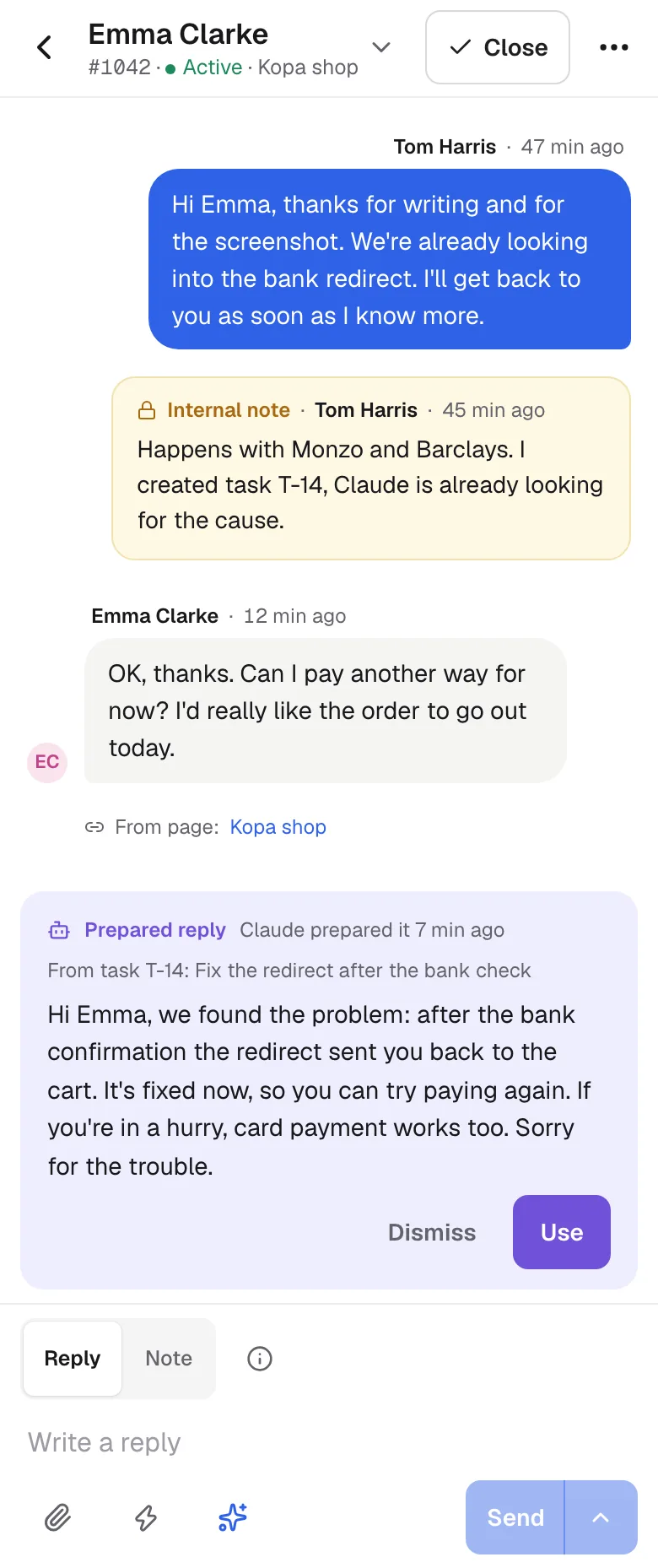
For every new customer message, AI drafts a reply from your knowledge base. You review it, change it and send it yourself.
No card needed · Sign in with an e-mail code
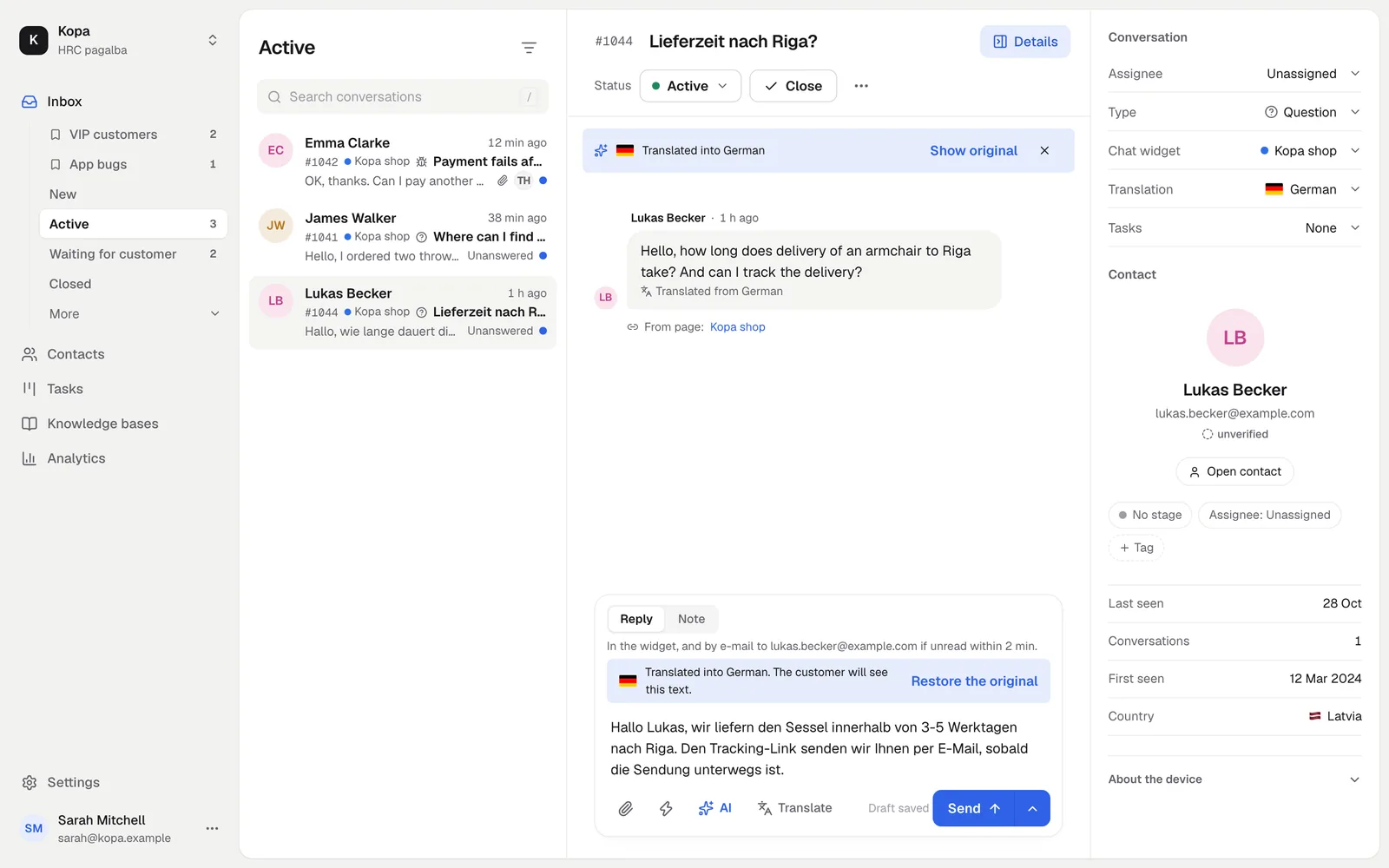
Speak the customer's language
Translate the conversation into your language and your reply into theirs. The customer gets the answer in their own language.
- The original is always shown
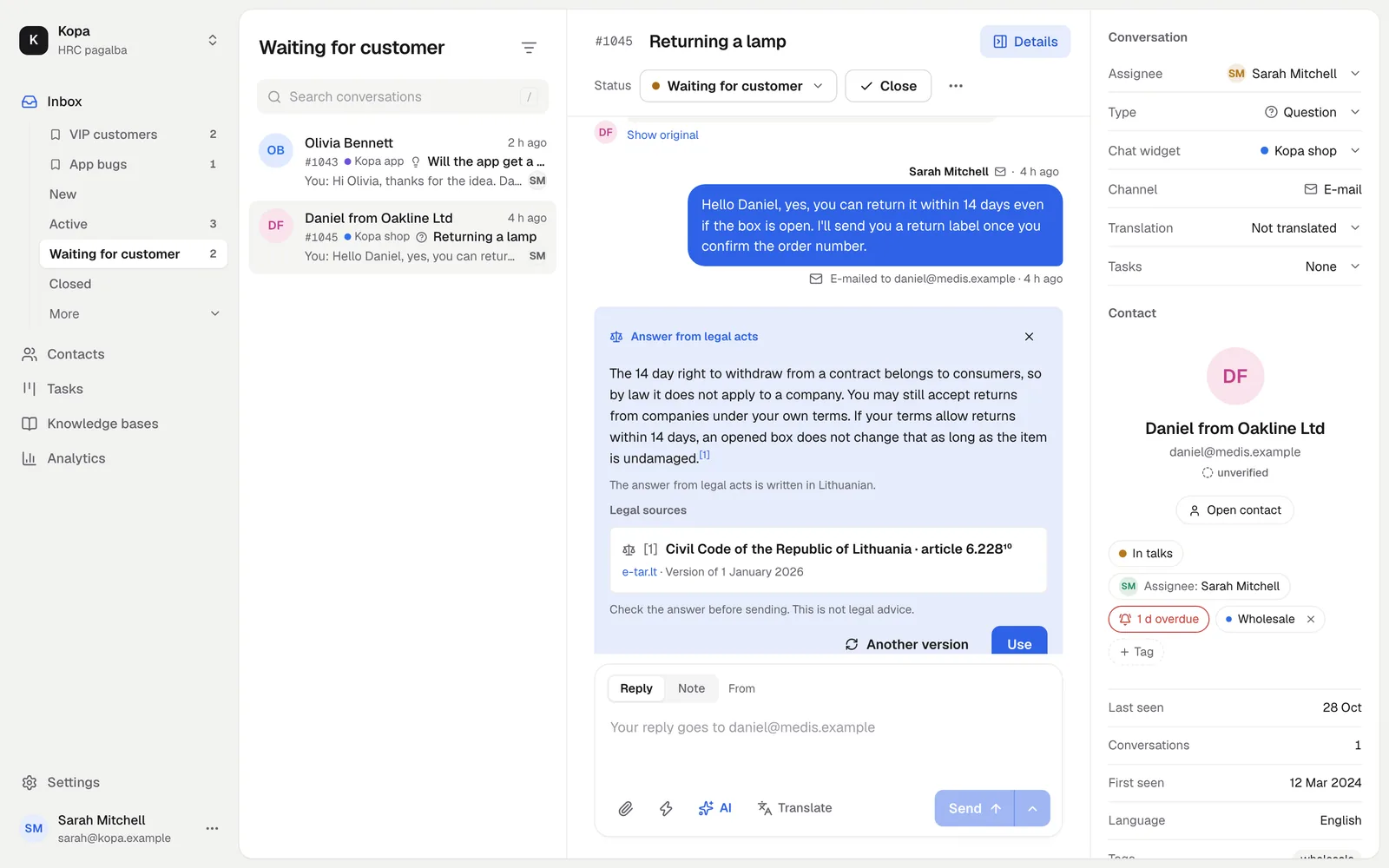
Answers from Lithuanian law
For a question about rights or duties, AI prepares an answer with links to the legal acts from e-tar.lt.
- 5 answers a month for free
- Sources listed with the answer
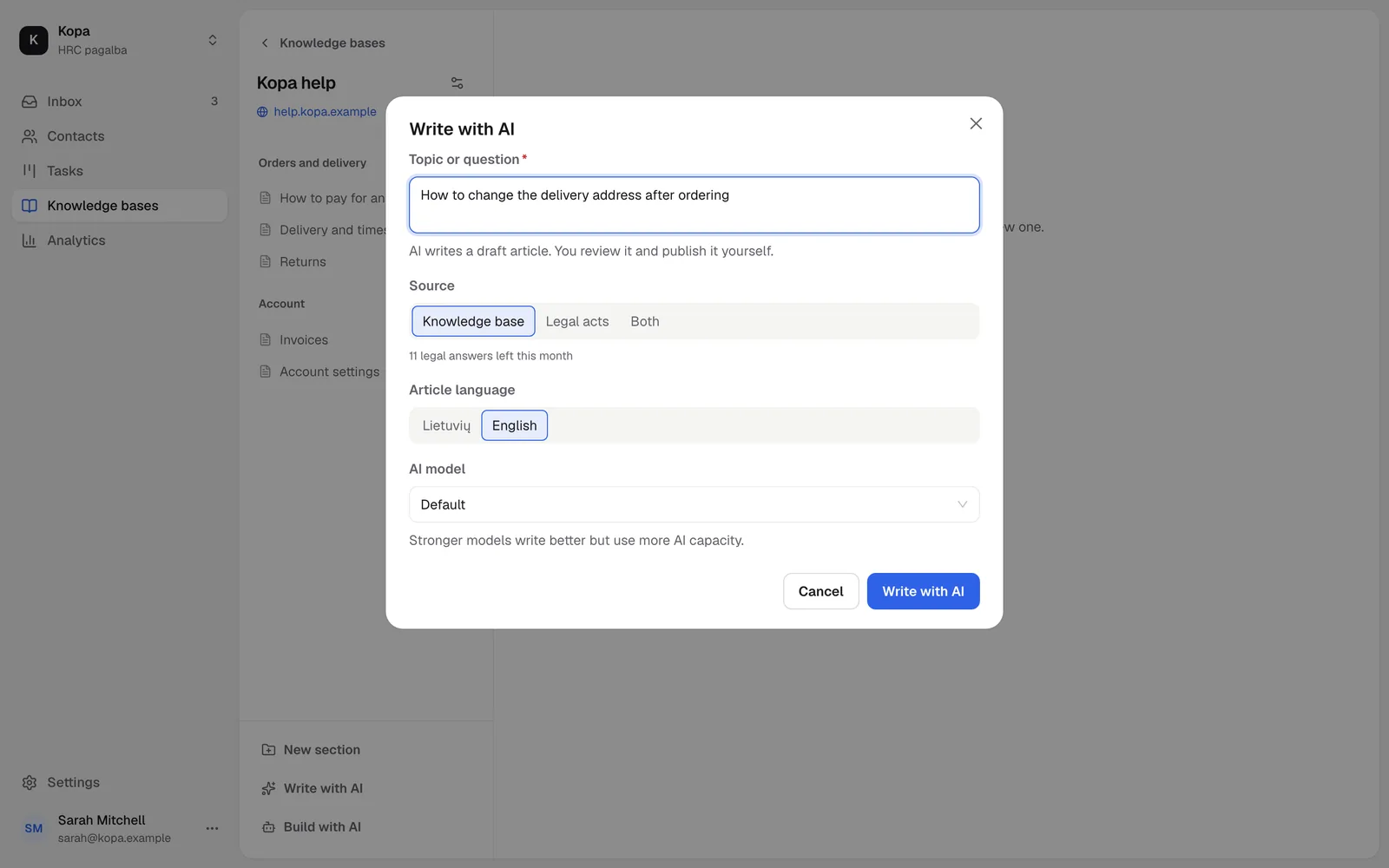
It writes articles too
Write with AI prepares a knowledge base article from a topic, legal acts or a conversation.
Usage you can read
We show AI usage as one simple bar, with no tokens and no sums. Every month you get AI to try.
- The AI pack gives you more

How to start
- 1
Write your knowledge base
AI takes the facts for replies from it.
- 2
Reply with AI
The draft waits in the reply box.
- 3
Need more?
Add the AI pack.
Questions
Will AI reply to customers on its own?
No. AI prepares a draft and a person sends it.
Can I turn AI off?
Yes. A company can turn the AI features off in the settings.