



AI agents
Your AI works here. You stay in control.
Connect your AI app to HRC pagalba over MCP. An AI agent can set up the whole company from scratch, then do only what you allow.
No card needed · Sign in with an e-mail code
claude mcp add --transport http --scope user hrc https://mcp.hrc.lt/mcp
✓ Connected to HRC pagalba
› Take the tasks assigned to me and fix HRC-14
task_take HRC-14 → In progress
task_comment_create HRC-14 "Reproduced it, fixing the 3D Secure redirect"
task_set_status HRC-14 → QA
prepared_reply_replace conversation #1042 "Hi, it's fixed now…"
✓ Draft ready, waiting for your approval
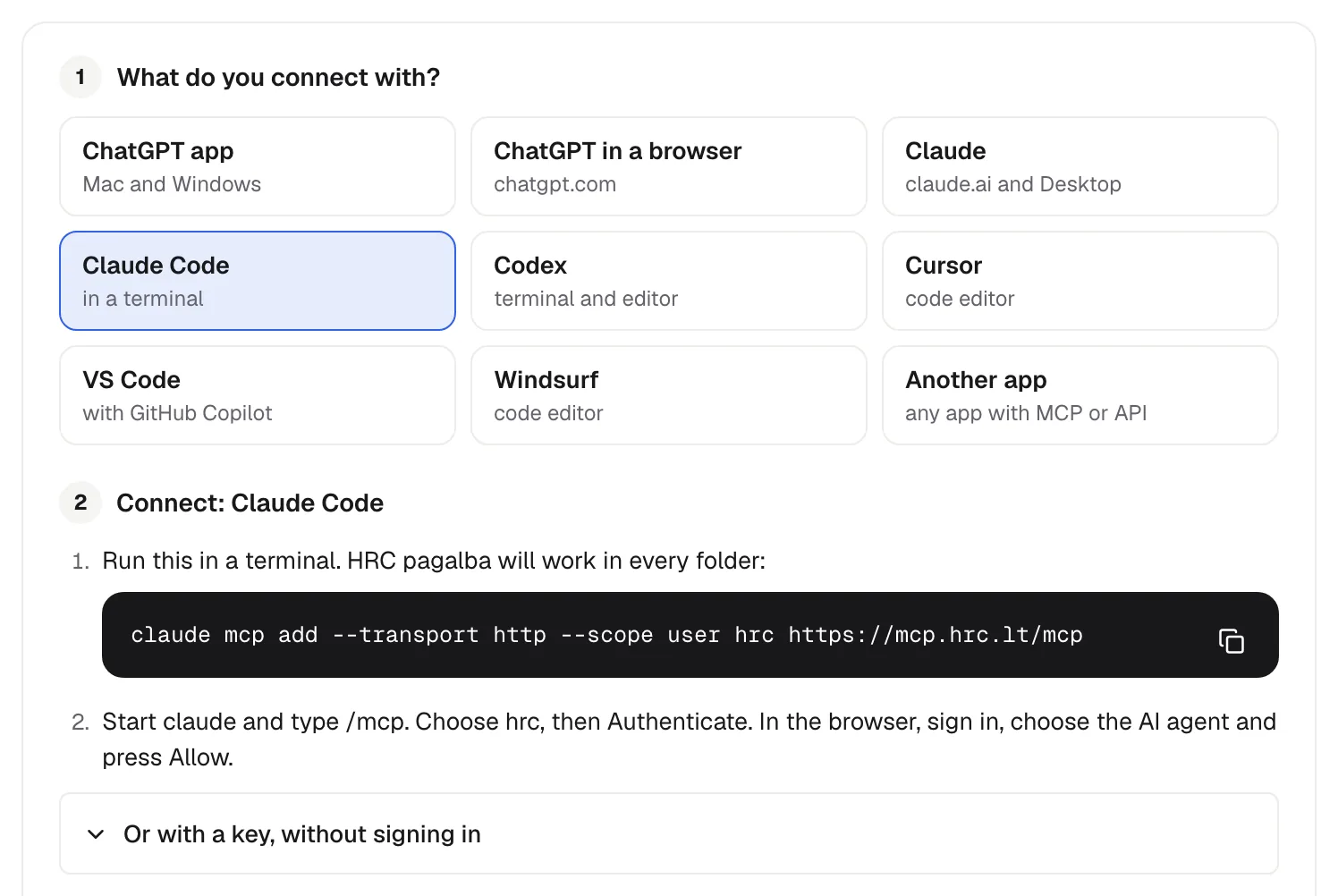
Connect in one step
Pick your app and follow its steps. You sign in with OAuth, so there is no key to copy.
- Claude, ChatGPT, Codex, Cursor, VS Code, Windsurf
- A personal key for any other app
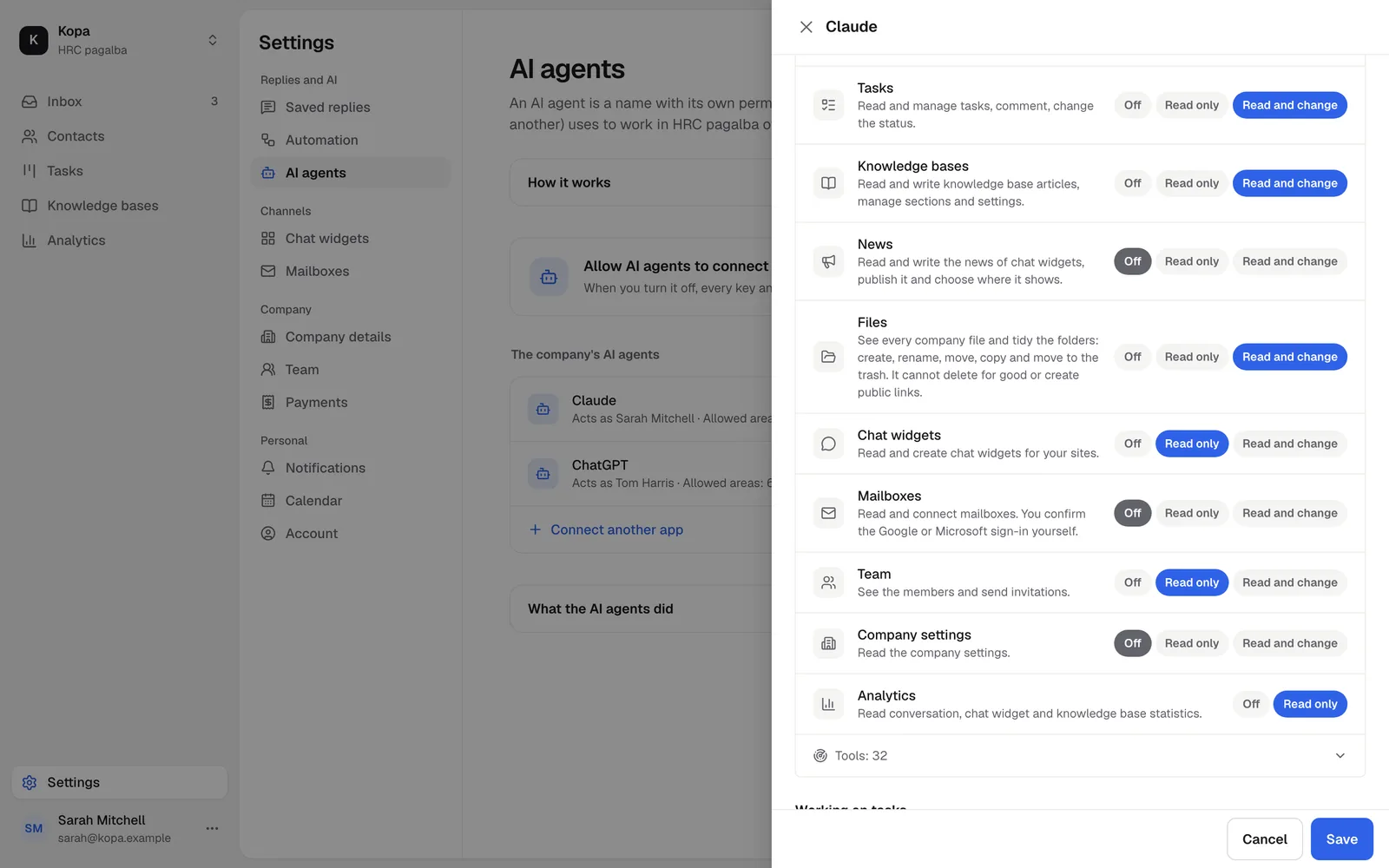
Only what you allow
Ten areas, each off, read or change. An AI agent can never do more than the member who created it.
- Sending to customers only with its own permission
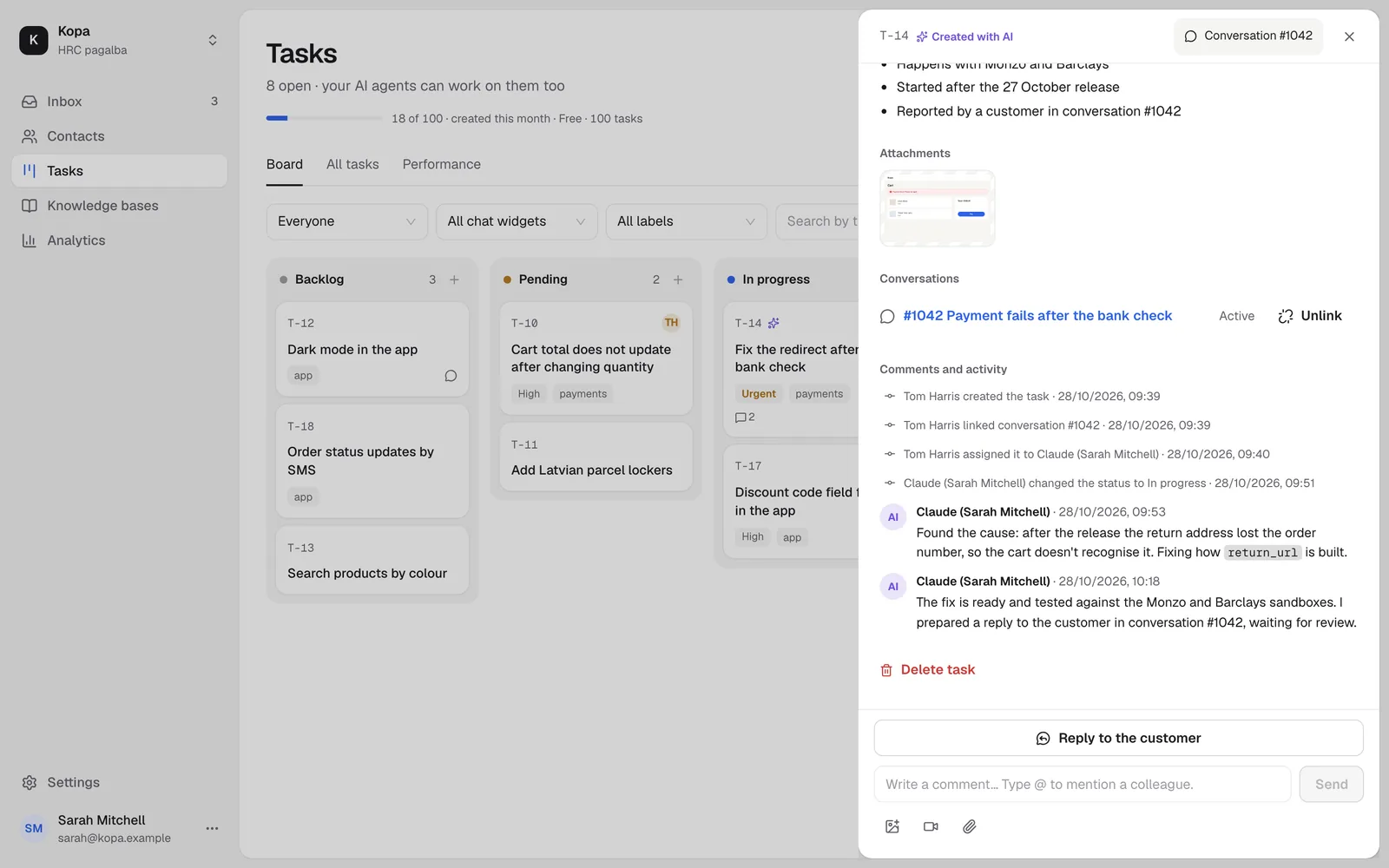
Works on your tasks
It takes the tasks assigned to it, writes comments, moves them across the board and prepares a reply for the customer.
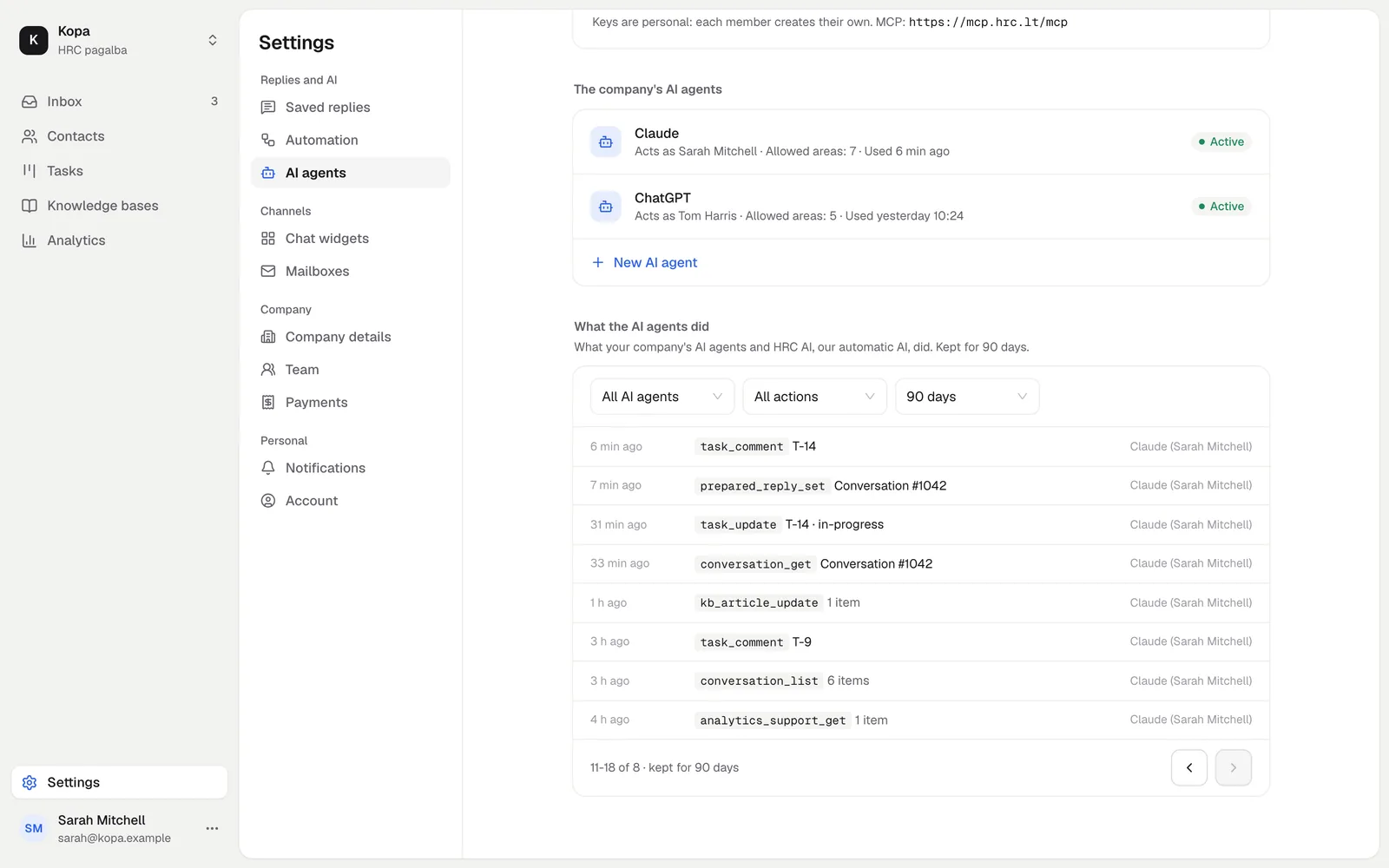
Everything on the record
Every AI agent action goes into the action log, kept for 90 days.
- 120 calls a minute per key
- Pause or revoke at any time
Sets up the company from scratch
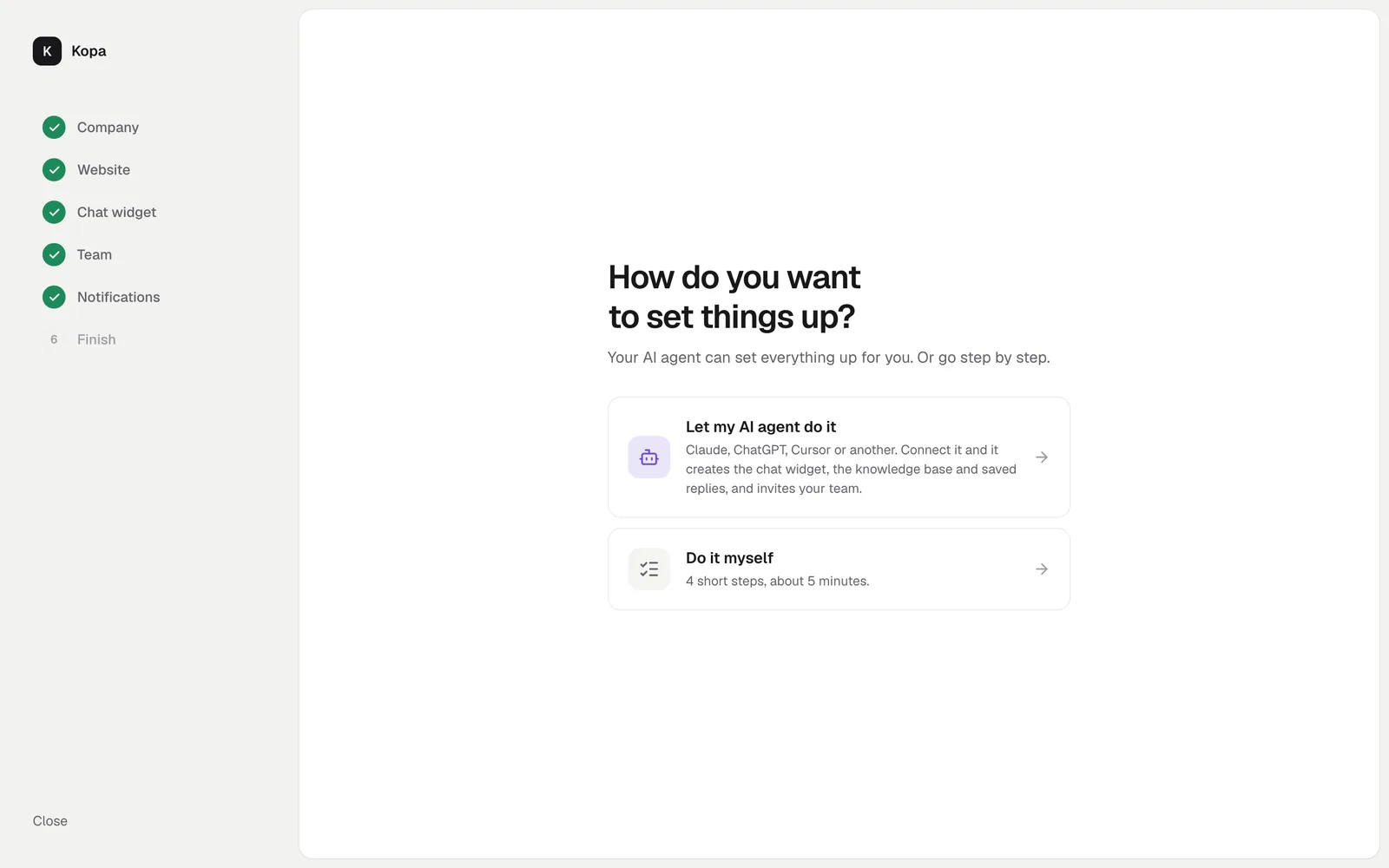
When you create a company, pick the AI agent, and it creates the chat widget, the knowledge base and saved replies.
How to start
- 1
Turn on AI agents
The company owner turns on access in the settings.
- 2
Connect your app
The MCP address and an OAuth sign-in.
- 3
Check the connection
Ask your AI agent which company it is connected to and what it can do.
Questions
Do AI agents cost extra?
No. AI agents are free for every company.
Can an AI agent write to customers?
Only with the permission to send replies to customers. Otherwise it leaves a prepared reply that a person sends.