



NewConnect your own AI agent over MCP
Customer support that nearly runs itself
A chat widget for your site, a shared inbox for e-mail, a knowledge base and tasks, together and calm. AI helps you reply, and you make the call.
No card needed · Sign in with an e-mail code
2 min
average first reply
5 min
from sign-up to first conversation
31
languages in the chat widget
5
languages in the interface and the docs
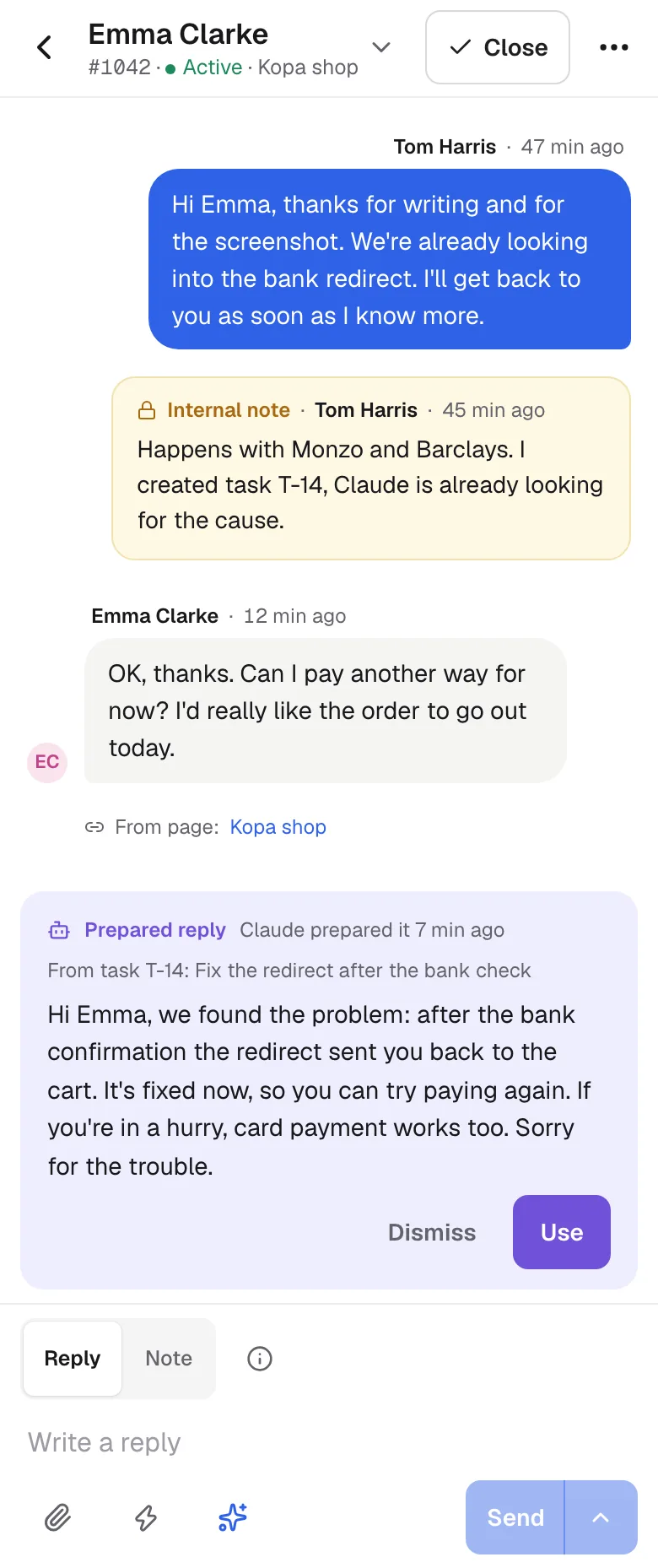
Inbox
Every conversation and e-mail in one list
See who replied, who is waiting and what the customer asked before.
- Tabs for several conversations at once
- Saved replies and AI drafts
- Translate into the customer's language in one click
Contacts
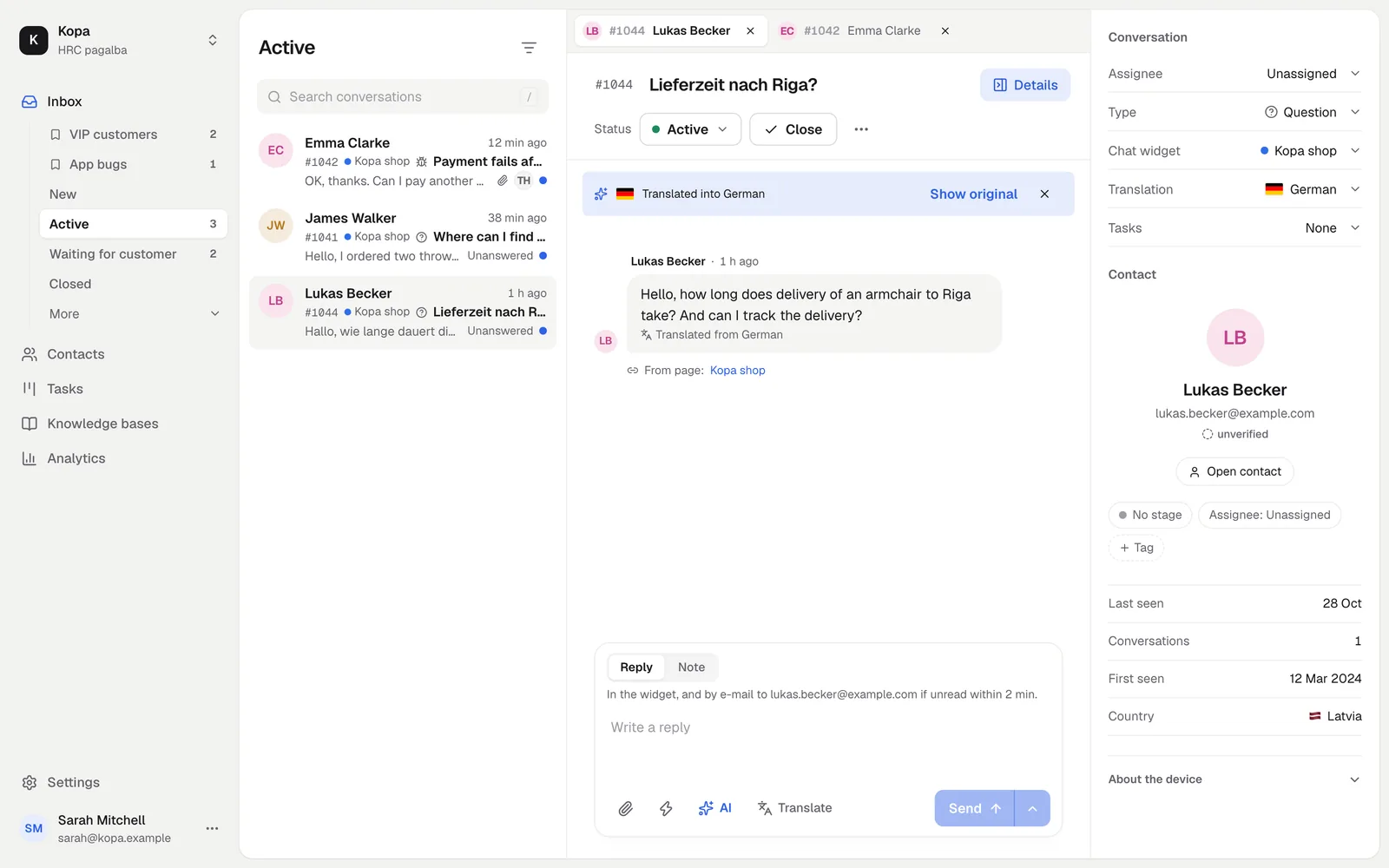
All your customers in one place
Contacts appear when someone writes. Add your own, sort them into lists and never forget to call back.
- Conversations, notes and calls on the contact
- Lists with saved filters
- Reminders, so nobody is forgotten
Knowledge base
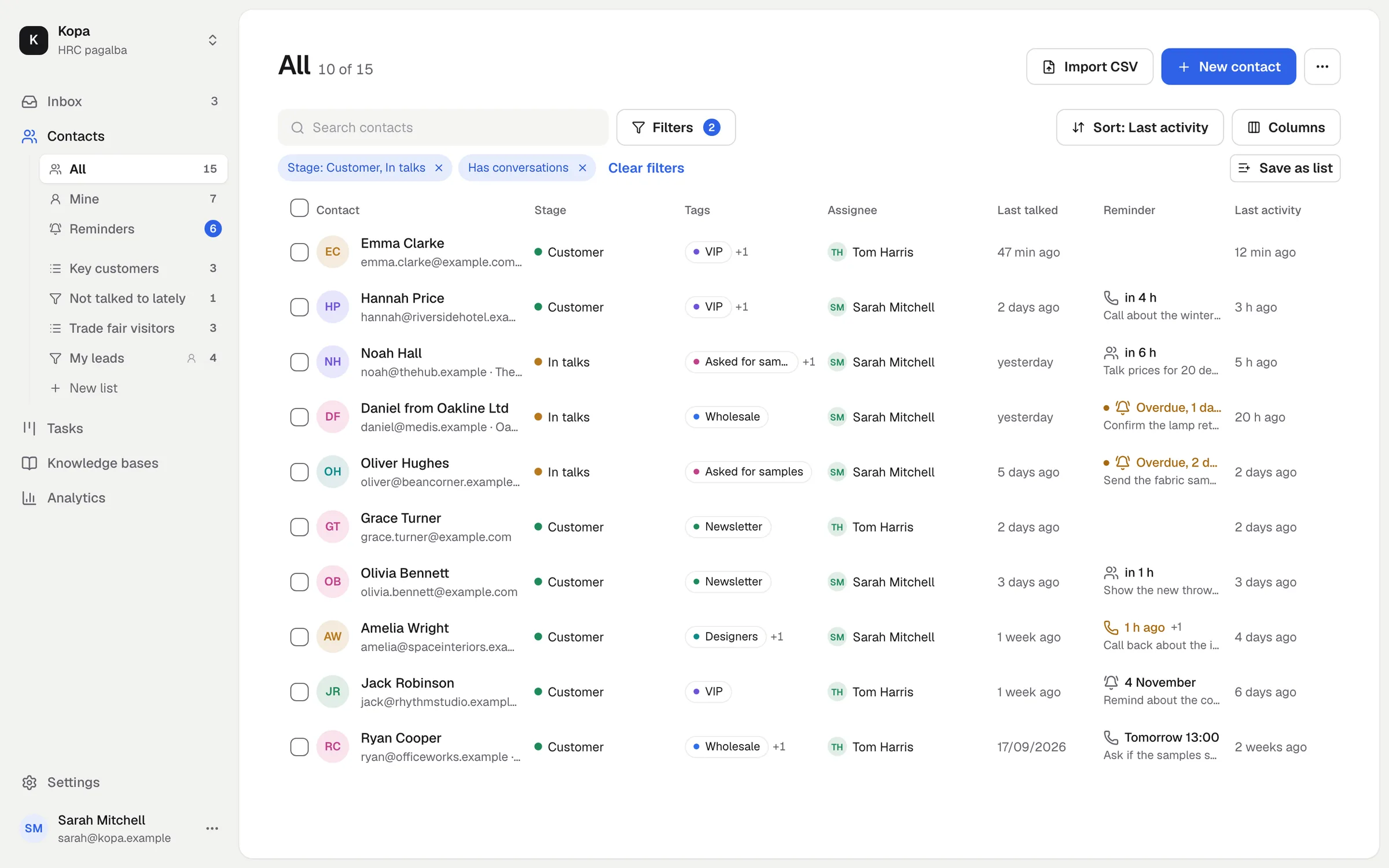
Answers your customers find on their own
A simple editor, your own domain and your colors. AI writes answers from it and checks on its own whether articles are out of date.
- Videos and playlists that remember where viewers stopped
- AI translations into any language
- Search in the chat widget that handles typos
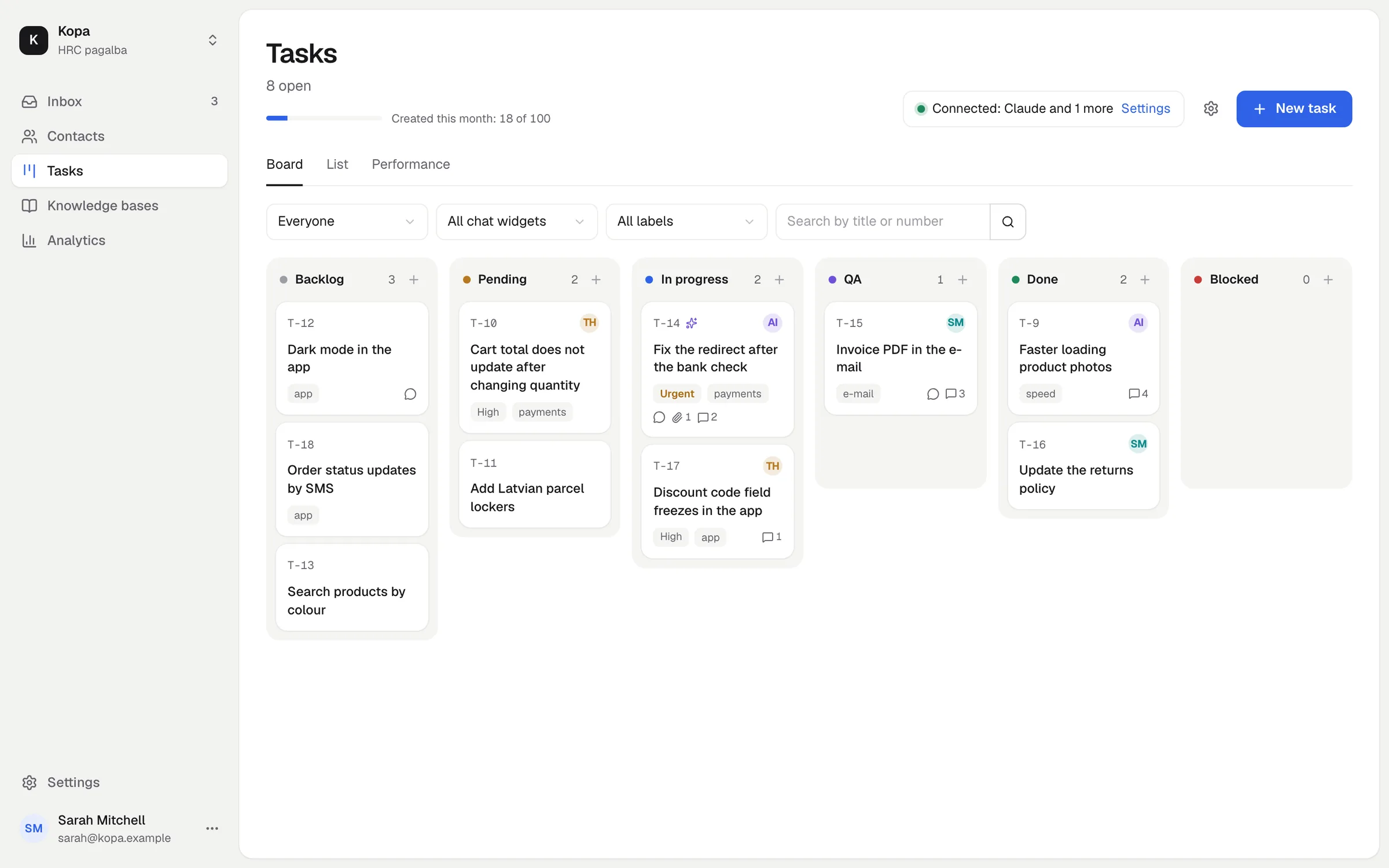
Tasks
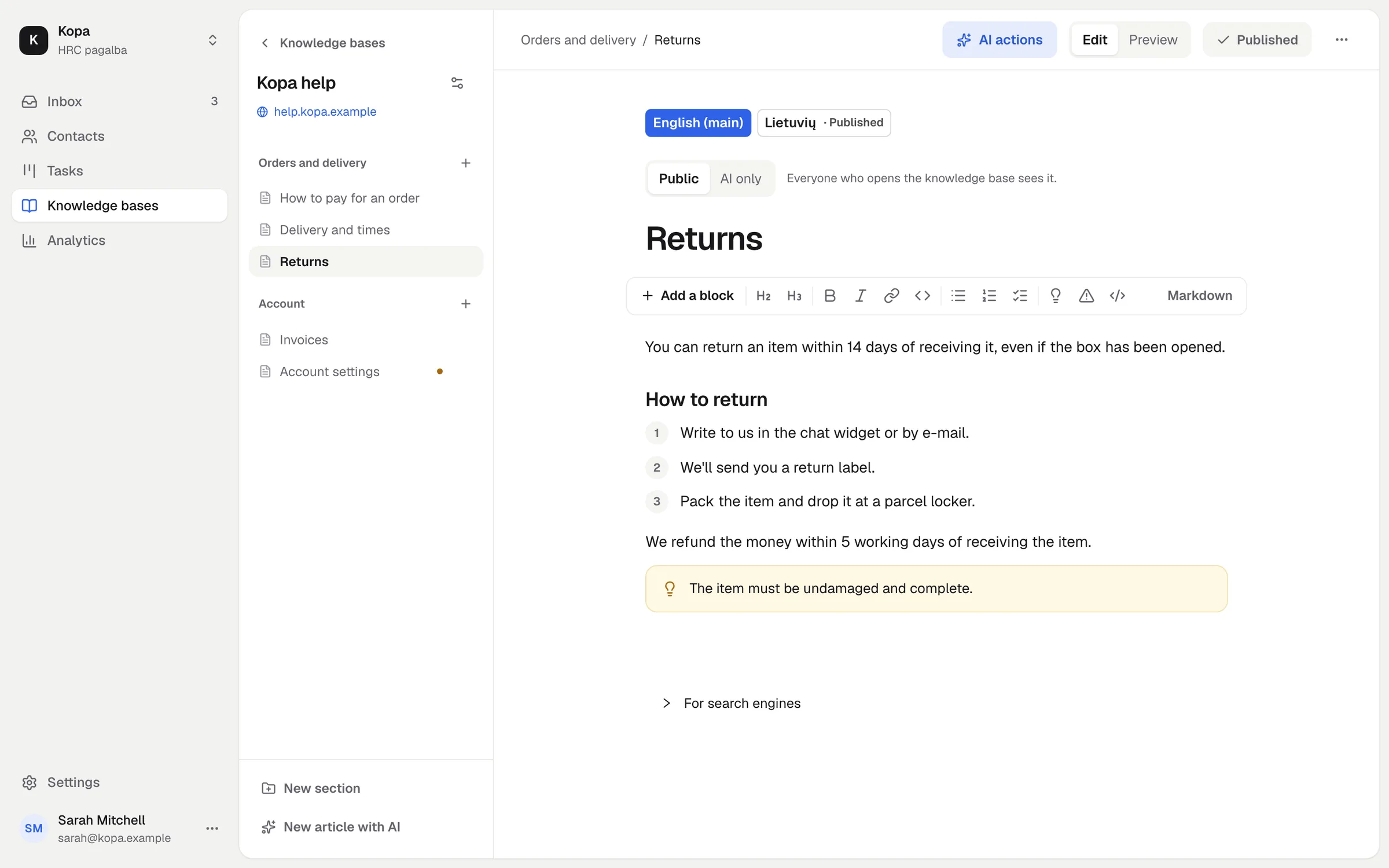
From a customer's message to finished work
Turn a conversation into a task for your developer, screenshots included, in one click. When it's done, a reply for the customer is ready.
- A kanban board with statuses and time stamps
- AI agents pick up and handle tasks on their own
- A changelog post for customers from a finished task
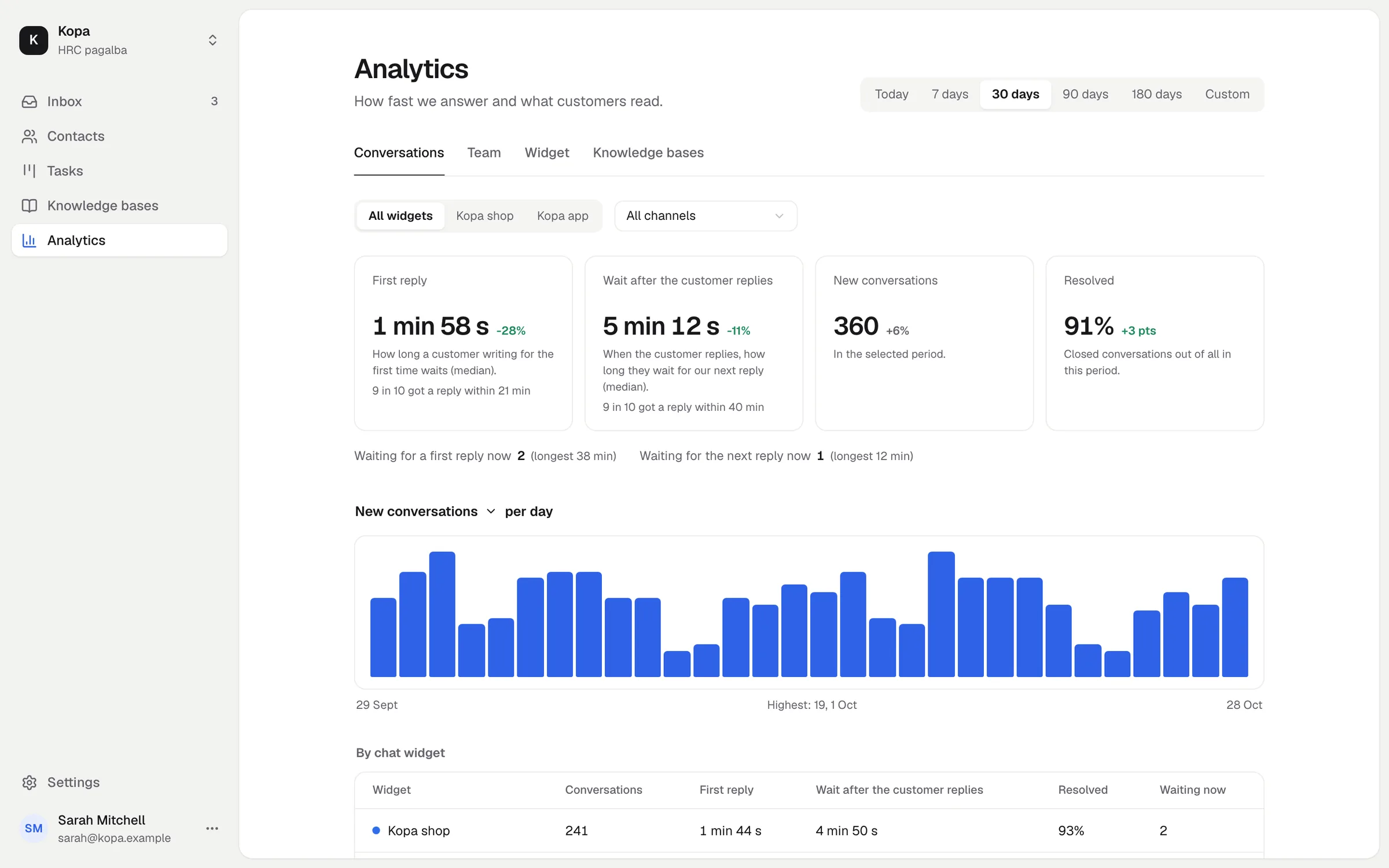
Analytics
Clear numbers without building reports
How fast you reply, which articles help, and how your team and AI agents are doing.
- First reply and wait times
- What customers search for but can't find
- Task flow and team pace
AI agents
Your AI works here. You stay in control.
Connect Claude, ChatGPT, Cursor or Codex over MCP and decide what the AI agent may do.
Sets up from scratch
Chat widget, knowledge base, replies, team
Only what you allow
Read or change, set per area
Works on tasks
Picks up, comments, moves across the board
Everything is visible
A 90-day activity log
claude mcp add --transport http --scope user hrc https://mcp.hrc.lt/mcp
✓ Connected to HRC pagalba
› Take the tasks assigned to me and fix HRC-14
task_take HRC-14 → In progress
task_comment_create HRC-14 "Reproduced it, fixing the 3D Secure redirect"
task_set_status HRC-14 → QA
prepared_reply_replace conversation #1042 "Hi, it's fixed now…"
✓ Draft ready, waiting for your approval
Pay only when you need more
Free
€0forever
- Chat widget on unlimited sites
- Inbox with e-mail, notices in Telegram
- Team with no member limit
- 1.1 GB for files
- 50 knowledge base articles
- 30 tasks a month
- AI to try, every month
- 5 legal answers a month
- 100 companies from registries (one time)
Add-ons
each from €15 a month · prices exclude VATFile storage
500 GB to 10 TB, single files up to 5 TB
Knowledge base
500 to 30,000 articles
AI pack
Answers, search, translations
Legal acts
400 to 10,000 answers from e-tar.lt
Tasks
1,000 to 150,000 a month
Companies from registries
2,000 to 300,000 a month
Cheaper together. 2 add-ons −5%, 3 −8%, 4 −12%, 5 or more −25%. The discount lasts while everything bought together stays active.
E-mail checks
€0.002 per address. 5 checks are free, then you buy a credit pack: 1,000 for €2, 10,000 for €20, 100,000 for €200. Credits never expire, prices exclude VAT.
We check the e-mail addresses of companies imported from the registries right away and for free, once every 30 days.
We work with MillionVerifier: by its own figures, more than 70,000 businesses use it and its accuracy is above 99%. Fewer bounced e-mails, a better sender reputation.
Common questions
Can't find your answer? Write to us and we'll reply quickly.
Is it really free?
Yes. The chat widget, inbox, mailboxes, team, analytics and AI agents are free forever. Add-ons are only for more file storage, articles, AI, legal answers or tasks.
How do I add the chat widget to my site?
Enter your site's address: we look at it and set up the widget in your colors. Then copy a short embed code, or follow the guide for WordPress, Shopify, Wix or Google Tag Manager.
How does the customer get my reply?
Right away in the chat widget, and by e-mail too if they don't read it within 2 minutes. They can reply from either place, and it stays one conversation.
Which mailboxes can I connect?
Any mailbox with an SMTP server. Sign-in with Google and Microsoft is coming soon. For now, you can connect Gmail and Outlook through Other e-mail. E-mails land in the same inbox as conversations from the chat widget.
Will AI reply to customers on its own?
No, unless you want it to. AI prepares a draft from your knowledge base, and a person sends it. AI use shows as a simple bar, with no tokens or amounts.
How large can files be?
One file can be up to 5 TB. A company starts with a limit of 500 MB per file, and the owner raises it in the company settings. All files use the company's file storage: 1.1 GB free, up to 10 TB with the File storage add-on.
Where is the data stored?
The service and its database run on Hostinger servers in the European Union. Files are stored in Cloudflare R2 and delivered through Cloudflare's global network, so copies of files can also sit outside the EU. AI features are on by default: AI drafts an answer to each new customer message and indexes knowledge base articles for search automatically, so we send the text it needs to Anthropic, OpenAI or OpenRouter. You can turn AI features off in your settings. Legal answers come from teisesdi.lt, which runs in the EU and updates the legal acts from e-tar.lt every night. We don't sell data or use it to train AI, and under their API terms Anthropic and OpenAI don't use it to train their models. More in the privacy policy.
Your first conversation in 5 minutes
Create your company and add the chat widget to your site, or let your AI agent do it for you.
Start for free