



Documentation contents
Inbox and e-mail
Knowledge base
Files
Analytics
Account and billing
AI agents: permissions, keys and the log
Updated
An AI agent is your AI app (Claude, ChatGPT, Codex, Cursor or another) connected to HRC pagalba over MCP or the REST API. AI agents are free for every company.
AI agent or HRC AI
An AI agent is a name with its own permissions that your AI app uses to work in HRC pagalba. HRC AI is the AI built into HRC pagalba: there is nothing to connect.
| AI agent | HRC AI | |
|---|---|---|
| Who runs it | You, in your AI app | HRC pagalba, when you press an AI button or a new conversation arrives |
| What you need | Connect the app once, over MCP or with a key | Nothing |
| What it can do | Only what you allow: conversations, tasks, knowledge bases and more | AI draft, AI types, AI actions, writing, translating and checking articles |
| Cost | Free in HRC pagalba; your app's own plan pays for the AI work | Uses the company's AI limit |
The same AI agent also takes the tasks you assign to it on the Tasks board. Connect an app in Settings, AI agents, "Connect an AI app".
Who the AI agent acts as
Each AI agent is created by one member and acts as that member. It can never do more than that member: if the member is not an owner, the AI agent does not see owner actions.
Turn on AI agents
The company owner turns on "Allow AI agents to connect" in Settings, AI agents. While the switch is off, AI agents can be created but do not work.
Areas and permissions
For each area you choose: Off, Read only, or Read and change. Sending to customers is a separate permission.
| Area | What it allows |
|---|---|
| Conversations and messages | Read conversations and contacts, assign, change the status, write internal notes, change a contact's profile. |
| Reply drafts | Prepare a reply in a conversation. You review it and send it. |
| Send replies to customers | The customer gets the reply at once. |
| Tasks | Read and manage tasks, comment, change the status. |
| Knowledge bases | Read and write articles, manage sections and settings. |
| News | Write and publish the news of chat widgets and choose where it shows. Only an owner's AI agent changes it. |
| Files | See every company file and tidy the folders: create, rename, move, copy and move to the trash. It cannot delete for good or create public links. |
| Chat widgets | Read and create chat widgets for your sites. |
| Mailboxes | Read and connect mailboxes. |
| Team | See the members and send invitations. |
| Company settings | Read the company settings. |
| Analytics | Read conversation, widget and knowledge base statistics. |
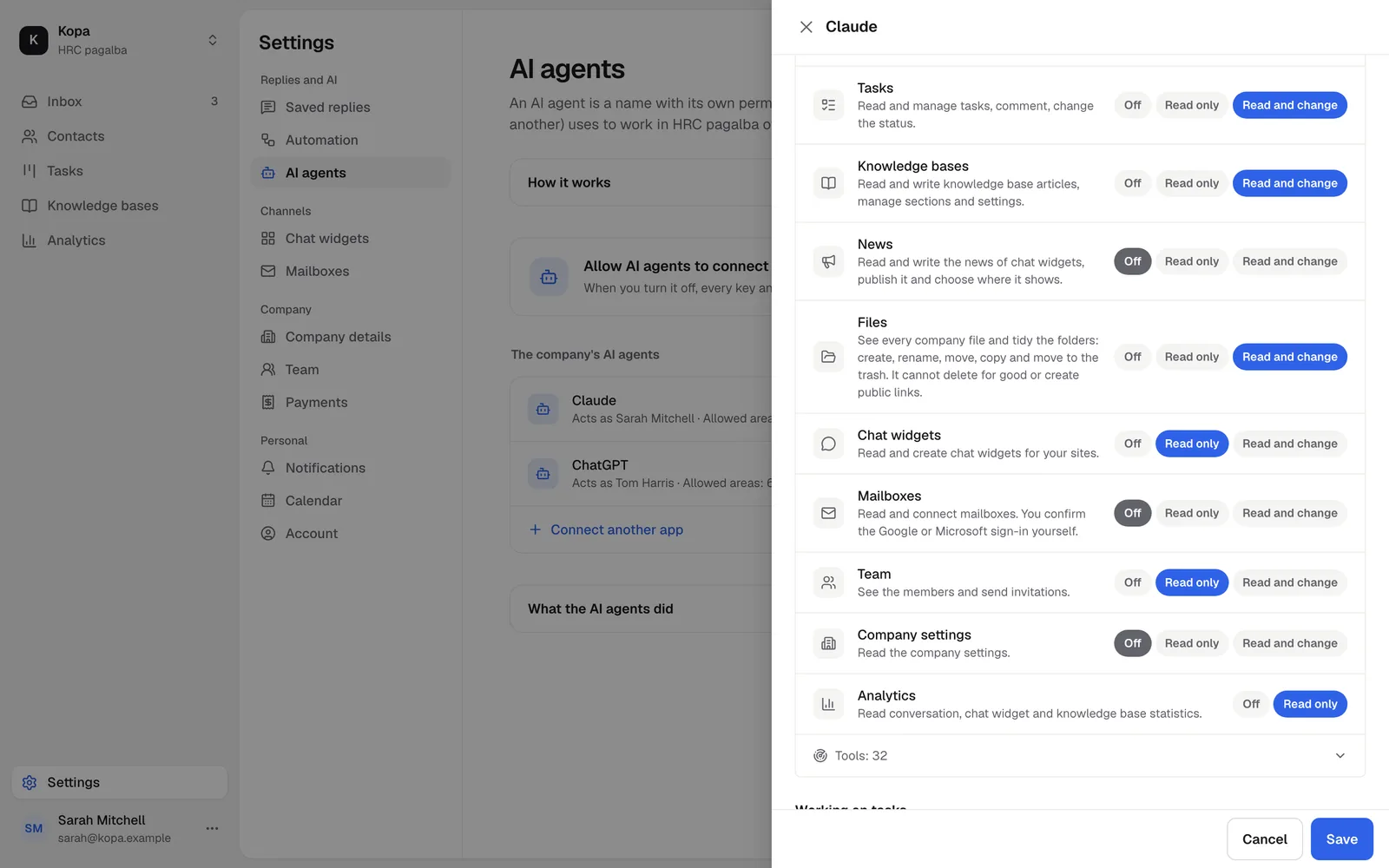
Two presets: "For daily work" (conversations, reply drafts, tasks, knowledge bases and news; the default for a new AI agent) and "Everything, for the first setup" (everything except sending to customers).
Keys and OAuth
- OAuth: Claude, ChatGPT, Codex, Cursor, VS Code and Windsurf sign in through the browser and "Allow", with no key to copy.
- A personal key (
hrc_live_...) for apps that cannot do OAuth and for your scripts. The key is shown once. One AI agent can have up to 5 keys.
Prepared replies
An AI agent without the send permission leaves a prepared reply. A member sees it in the reply box and chooses "Use" or "Dismiss".
The action log
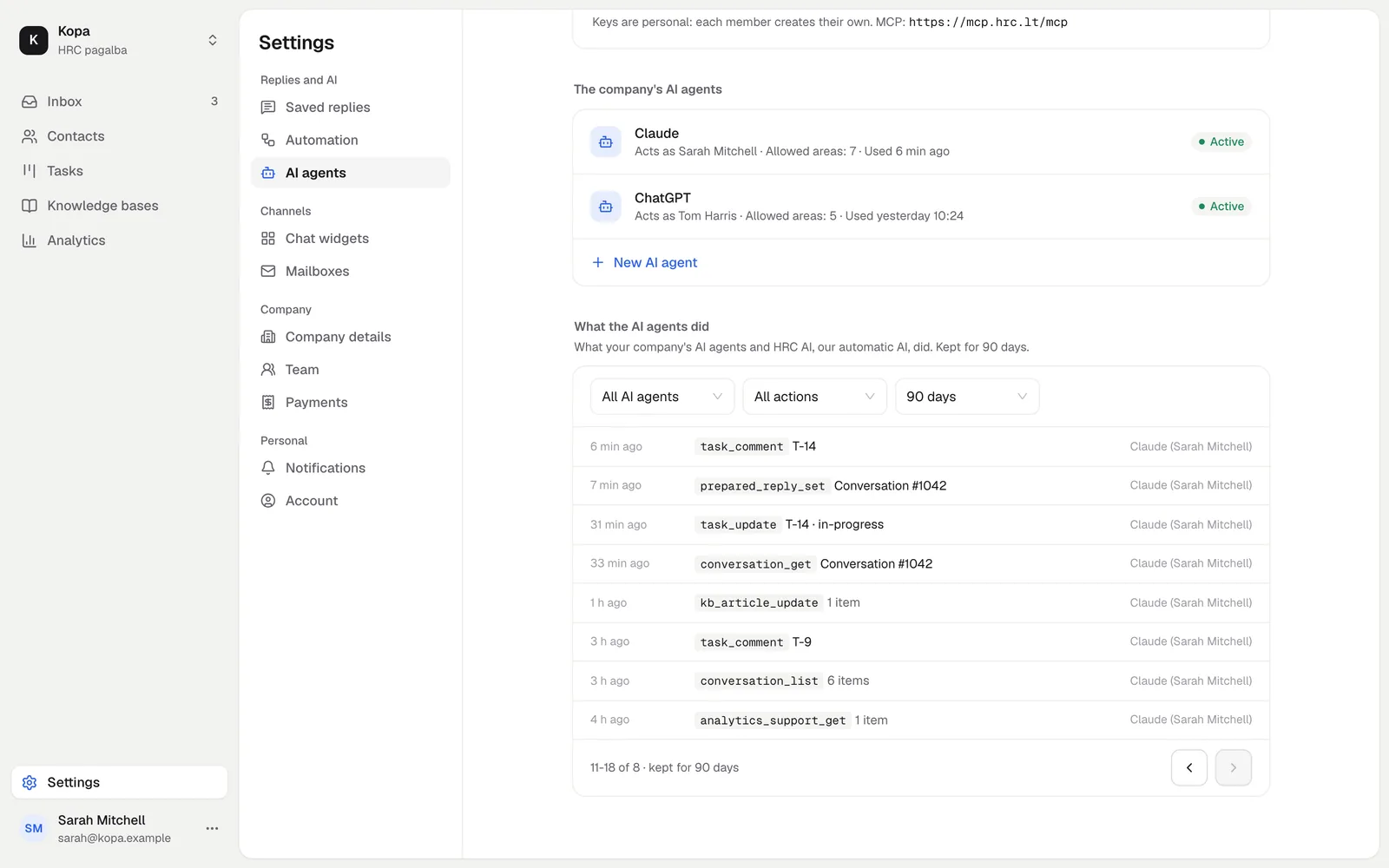
Every AI agent call goes into the "What the AI agents did" log, kept for 90 days. The log shows who, when and on what, never the texts.
Limits
- 120 calls a minute per key or OAuth connection.
- Up to 10 AI agents per member in a company.
- Pause, revoke or delete an AI agent or a key at any time.
Did not find the answer? Write to us