



Documentation contents
Inbox and e-mail
Knowledge base
Files
Analytics
Account and billing
AI answers and translation
Updated
AI helps you reply but never sends anything to a customer on its own. A person reviews and sends every draft.
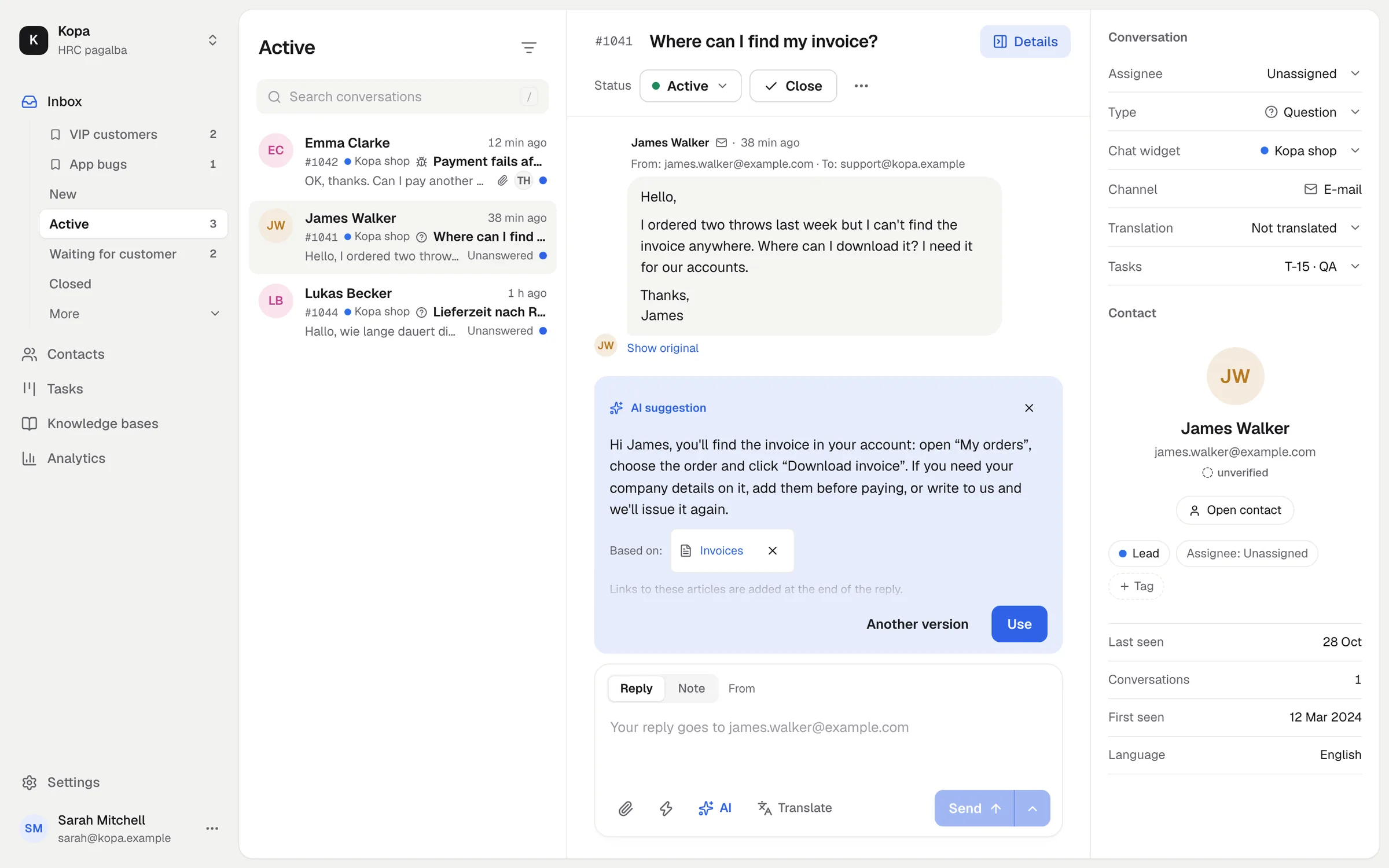
The AI answer
For every new customer message, AI drafts a reply from your knowledge base. It waits in the reply box: edit it and send it.
If your AI agent works in the conversation, it can leave a prepared reply. You see it the same way and choose "Use" or "Dismiss".
Translation
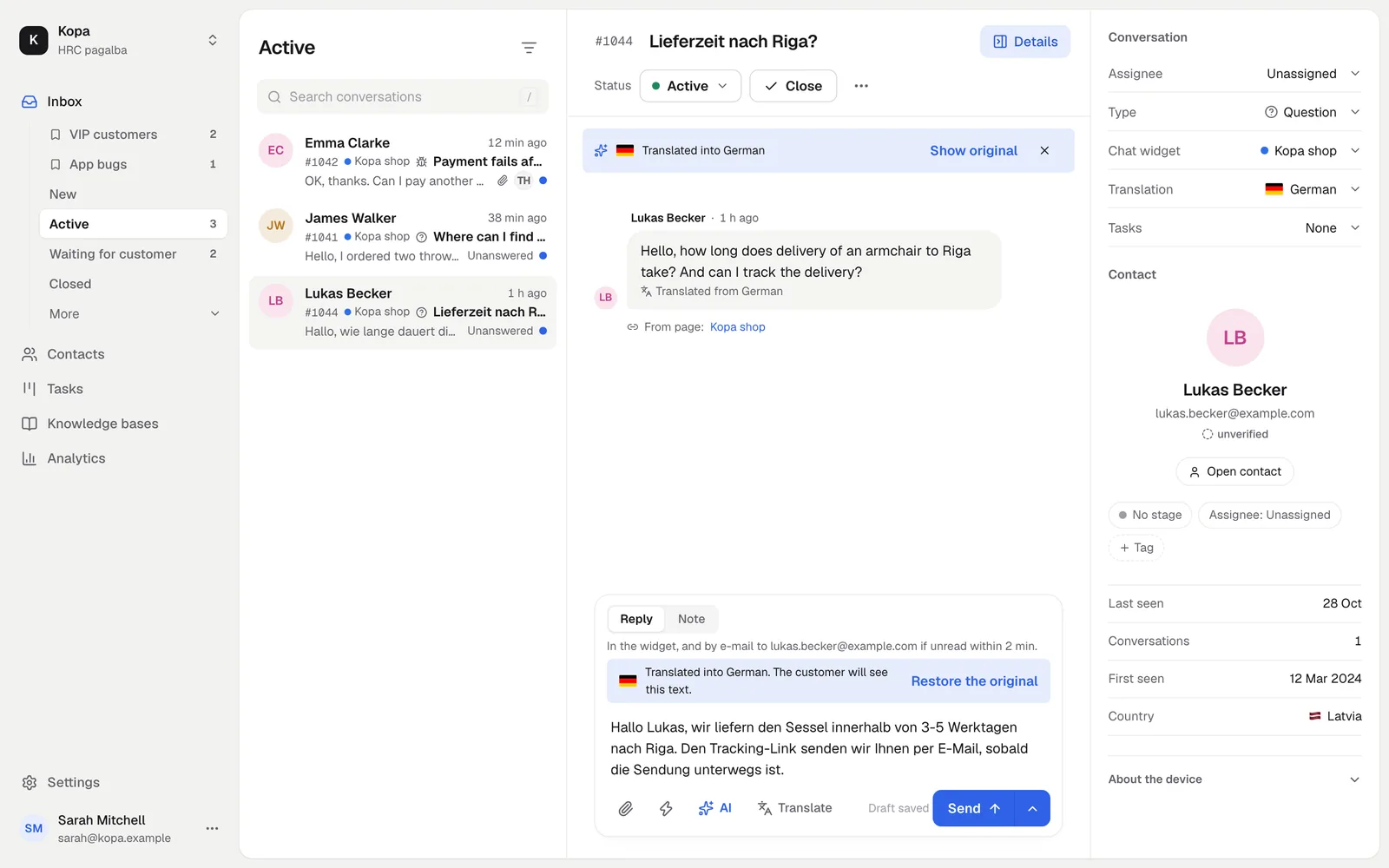
Translate the conversation into your language and your reply into the customer's. The original is always shown, and the customer gets the answer in their own language.
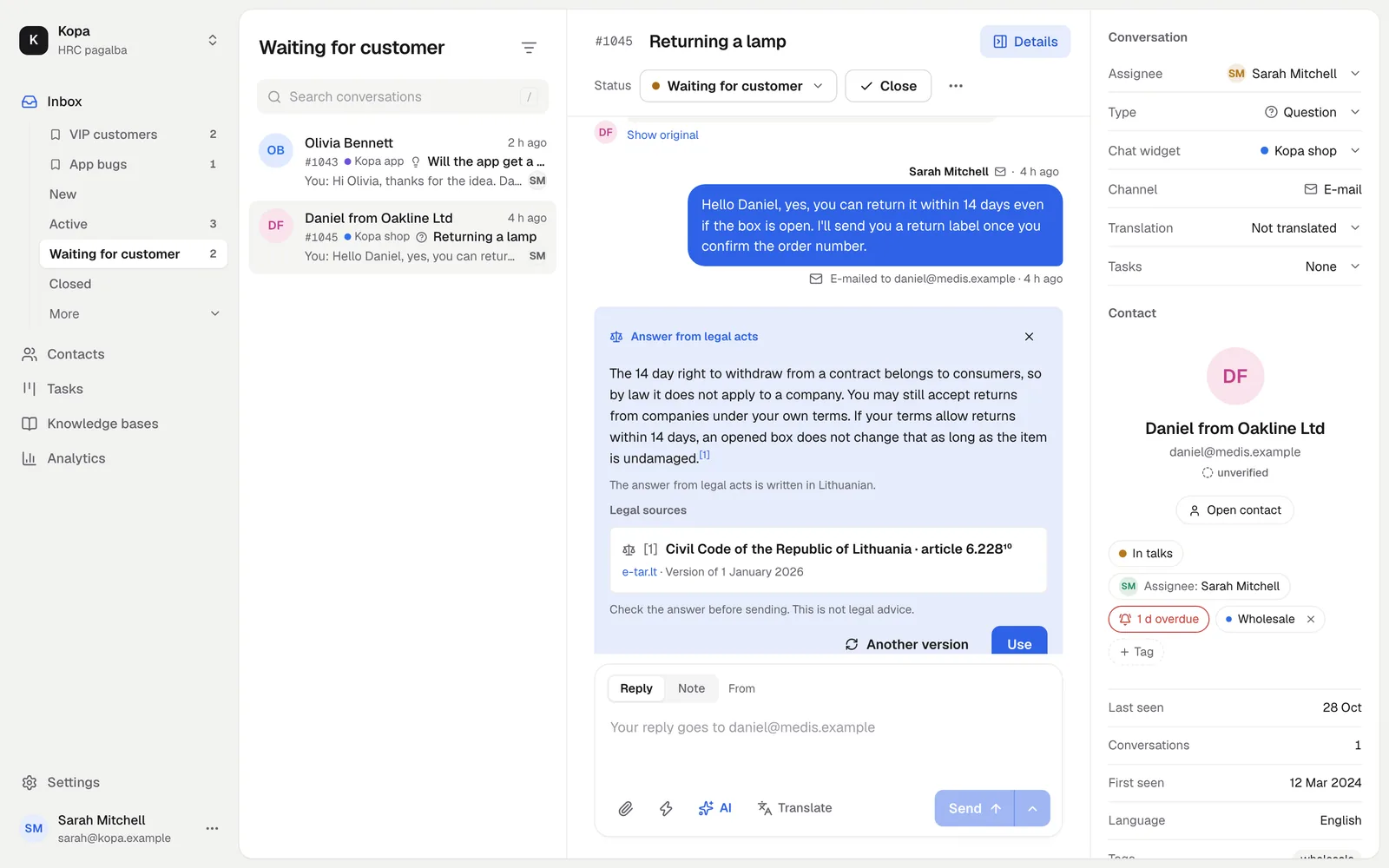
Answers from Lithuanian law
For a question about rights or duties, AI can prepare an answer from Lithuanian legal acts with sources from e-tar.lt. 5 such answers a month are free; the Legal acts add-on gives you more.
Usage
AI usage shows as one simple bar with no tokens and no sums, in Settings, Company. Every month you get AI to try, and the AI pack gives you more.
Turning AI off
The AI features are on by default. You can turn them off in the settings. What is sent to the AI providers: Data and privacy.
Did not find the answer? Write to us