



Documentation contents
Inbox and e-mail
Knowledge base
Files
Analytics
Account and billing
Notifications about new messages
Updated
Each member chooses how they hear about new messages, in Settings, Notifications.
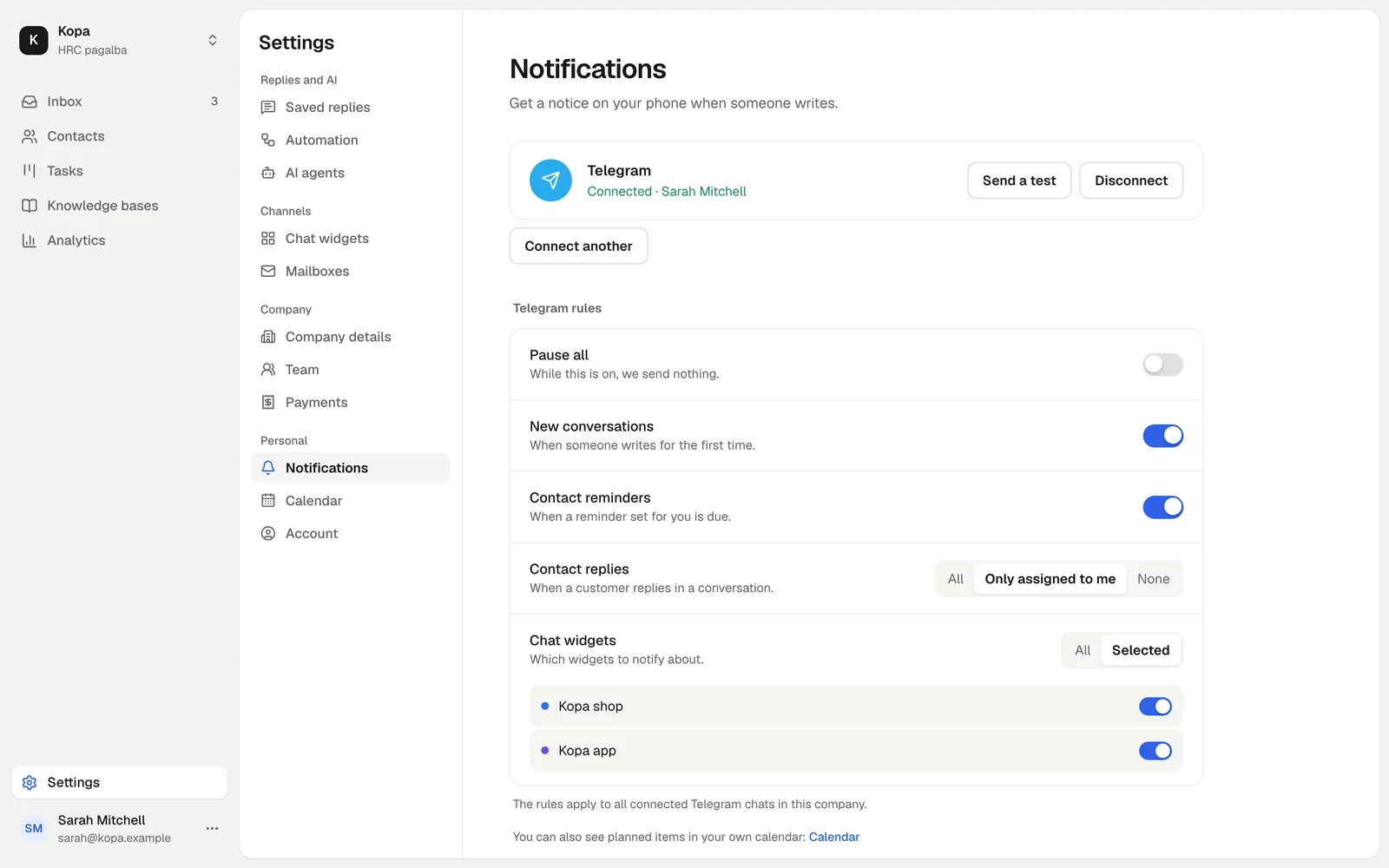
Telegram
Click the connect link: the HRC pagalba bot opens in Telegram. Press Start, and notices about new messages come to your phone. Every member connects their own Telegram. Telegram also tells you when it is time for a reminder, a call or a meeting with a contact that is meant for you (Reminders and your calendar).
Browser
Turn on the sound and browser notifications. The browser asks for permission. The setting applies to the browser where you turned it on, and one open tab shows the notice.
Did not find the answer? Write to us