



Documentation contents
Inbox and e-mail
Knowledge base
Files
Analytics
Account and billing
Conversations in the inbox
Updated
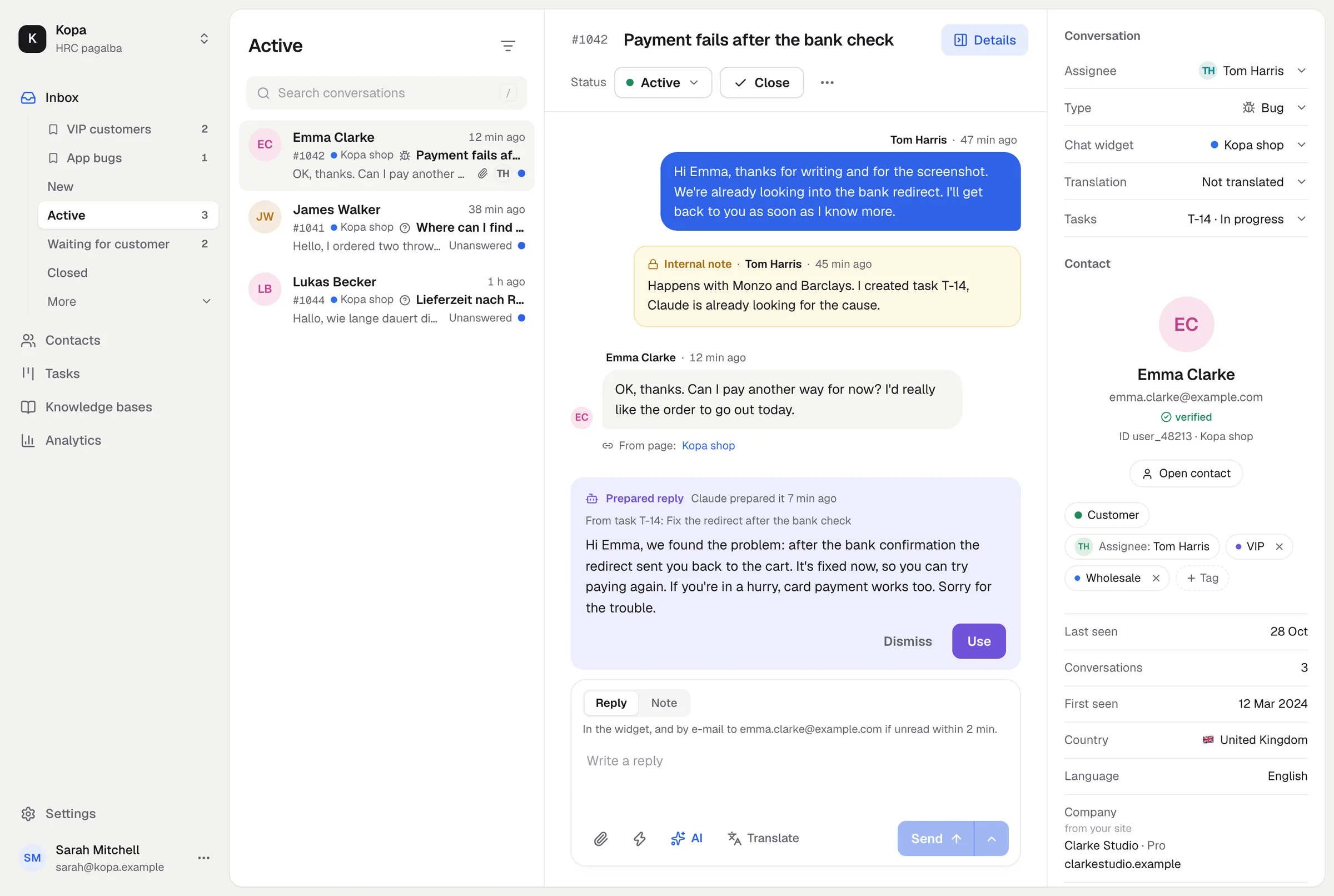
The inbox holds every conversation from your chat widgets and every e-mail from your connected mailboxes. The list on the left, the conversation in the middle, the contact on the right.
Views and statuses
Views: New, Active, Mine, Unassigned, Waiting for customer, Closed, Spam, All and Snoozed. A conversation's status follows the work: after your reply it waits for the customer, and when the customer writes it becomes active again. You can reopen a closed conversation.
Assigning and notes
Assign a conversation to a member so it is clear who answers. Internal notes are for the team: the customer never sees them.
Tabs
Open up to 8 conversations in tabs and switch between them without searching the list.
Filters and saved views
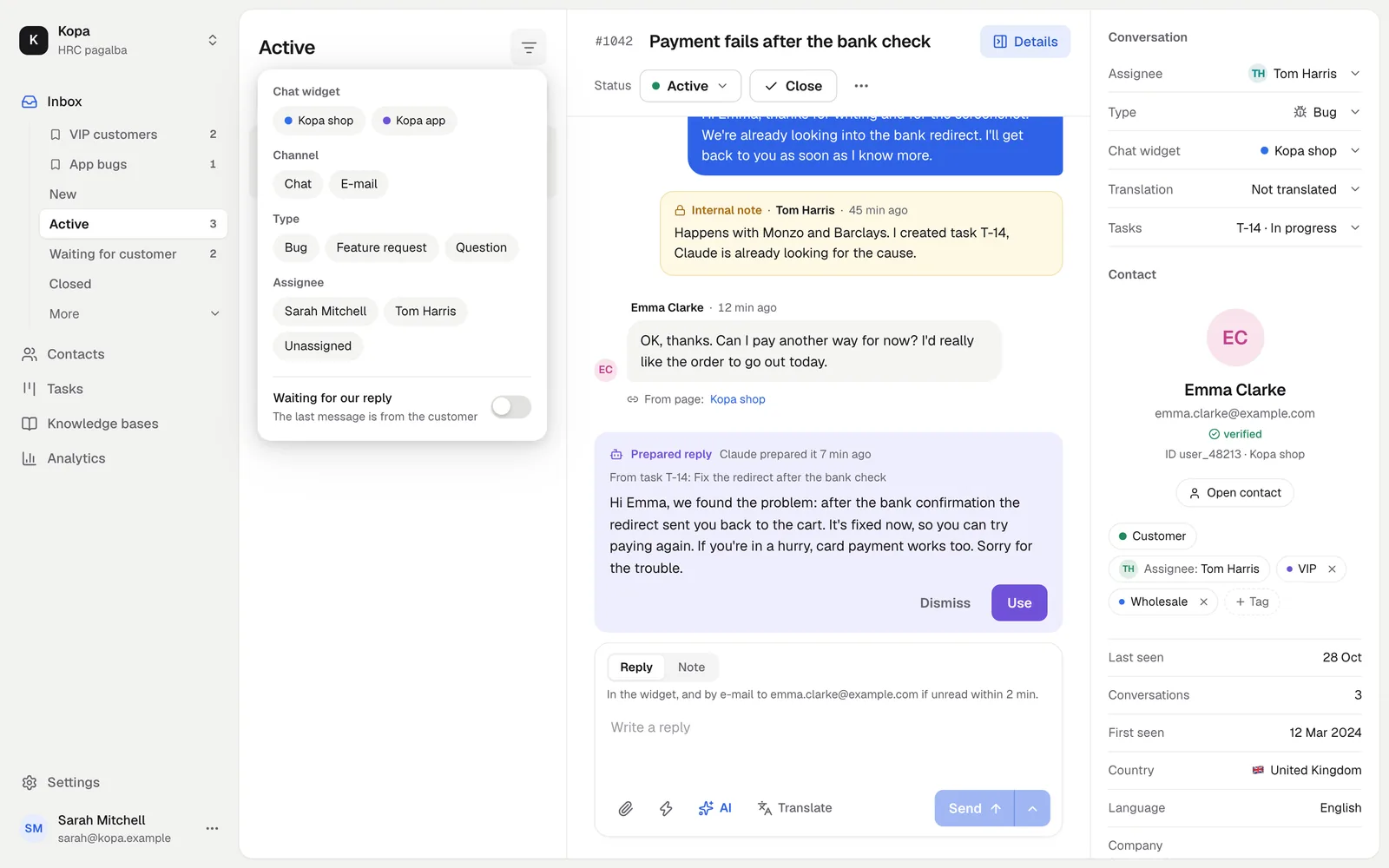
Filter by chat widget, mailbox, channel, type (bug, feature, question) or assignee, and save combinations you use often as views.
Quick actions and saved replies
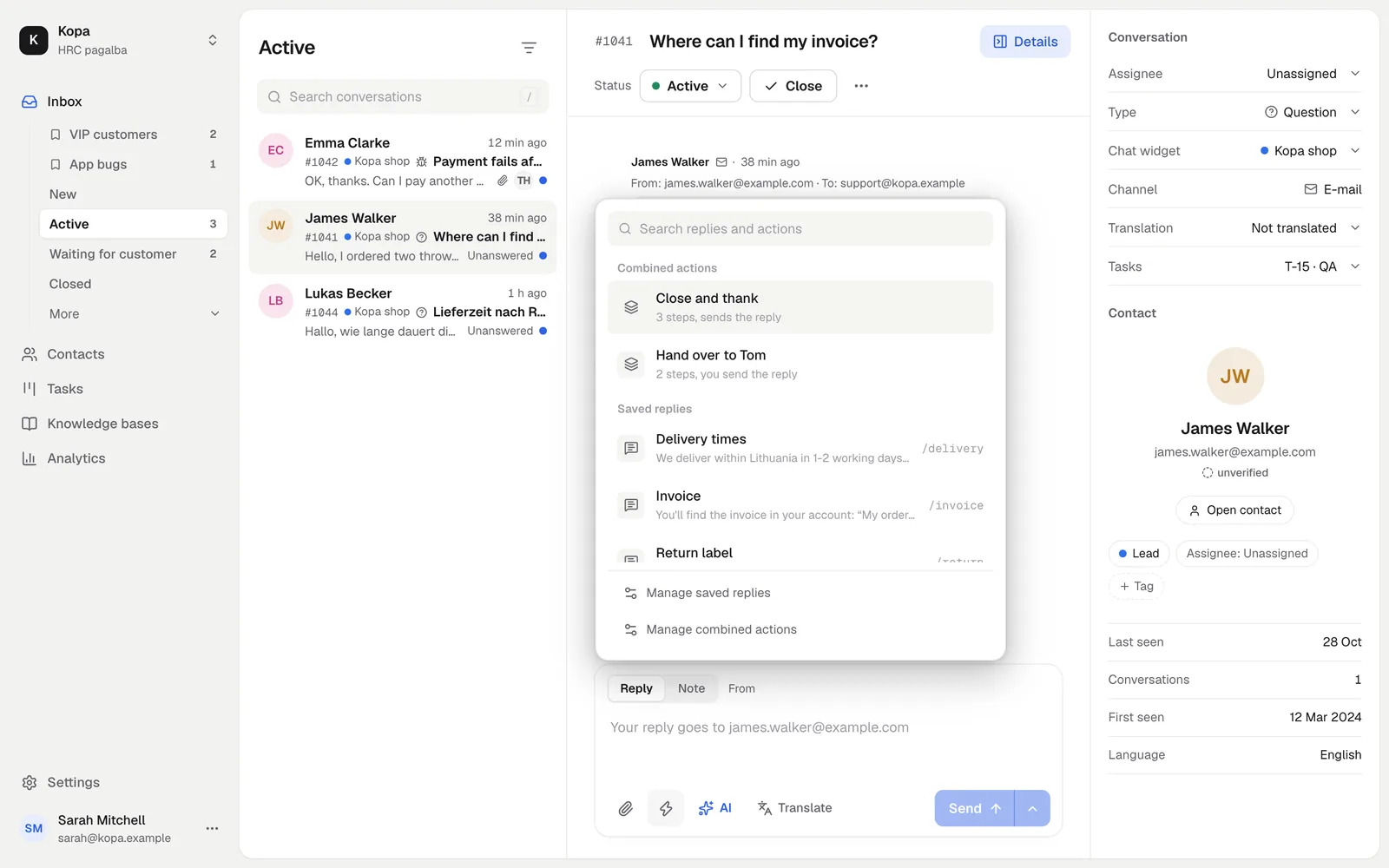
The ⚡ button opens quick actions and saved replies. Saved replies can use variables such as the customer's name. An AI draft is often already waiting in the reply box, see AI answers and translation.
Send later
Schedule a reply for later, for example the next morning. Until it goes out, any member can send it now, change the time or cancel it: the text goes back to the reply box.
How the customer gets your reply
In the chat widget right away, and by e-mail if they have not read it within 2 minutes. They can reply either way, and the conversation stays one.
Copy as Markdown and ZIP
Copy a conversation as Markdown, for example to paste it into your AI app or a task, or download it as a ZIP with its files.
Did not find the answer? Write to us