



Documentation contents
Inbox and e-mail
Knowledge base
Files
Analytics
Account and billing
Knowledge base site and your own address
Updated
Every knowledge base is a public site with search, sections and articles.
The name.hrc.lt address
When you create the knowledge base you pick an address, for example kopa.hrc.lt. It works as soon as you publish the knowledge base.
Your own subdomain
An owner can connect a subdomain of their own domain, for example help.example.com (not the main domain). In the knowledge base settings, on the Address tab, the app shows two DNS records:
- First a
TXTrecord that proves the domain is yours. - Then a
CNAMErecord pointing atkb.hrc.lt.
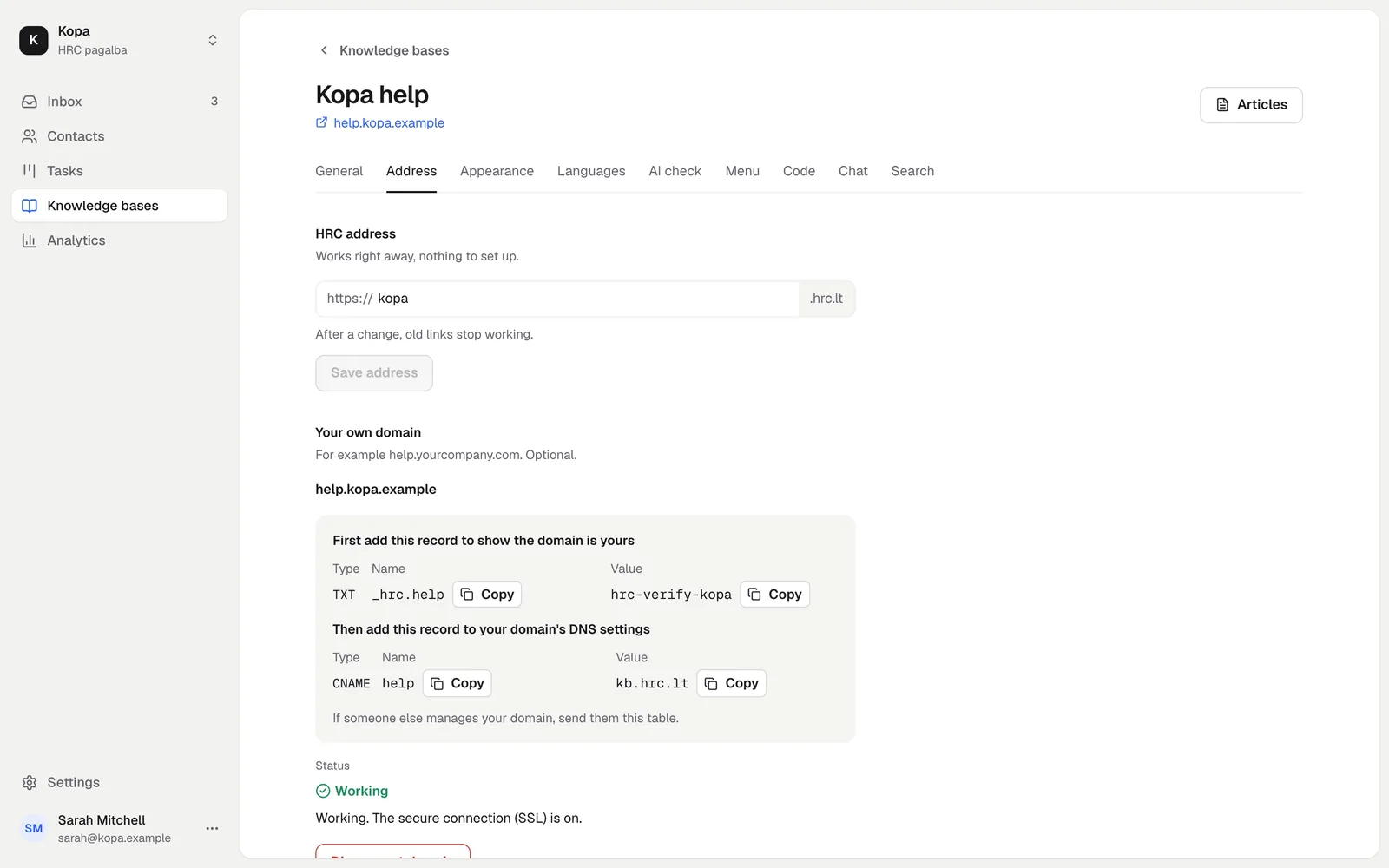
Statuses: Waiting for DNS (we do not see the record yet; sometimes it takes up to an hour), Checking (the record was found and a secure connection is being set up, up to 15 minutes), Active and Error (press "Check"). Once your own address is active, name.hrc.lt redirects to it.
Look, menu and chat widget
Pick a color, a light or dark theme, a font, a logo and a favicon. Add links to your site in the menu. On a phone or a tablet these links sit behind the ☰ button next to search. You can show your chat widget on the knowledge base site, so a reader can write when they do not find the answer.
Search engines
A published knowledge base has a sitemap.xml and an open robots.txt, so search engines find it. A hidden knowledge base is closed to search engines.
Did not find the answer? Write to us