



Documentation contents
Inbox and e-mail
Knowledge base
Files
Analytics
Account and billing
Chat widget languages
Updated
The chat widget speaks the visitor's language. 31 languages are ready out of the box: every button, form and message is translated.
How the language is picked
- If the widget is set to one language in its settings, that language is used.
- Otherwise the widget takes the first one that fits from: the
initoptionlocale, the visitor's browser languages, the page's<html lang>. Only a language you added to the widget fits;de-ATfits asde. - If none fits, the widget's default language is shown.
If you want everyone to see Lithuanian, pass locale: 'lt' or keep only Lithuanian on the widget.
Your own texts per language
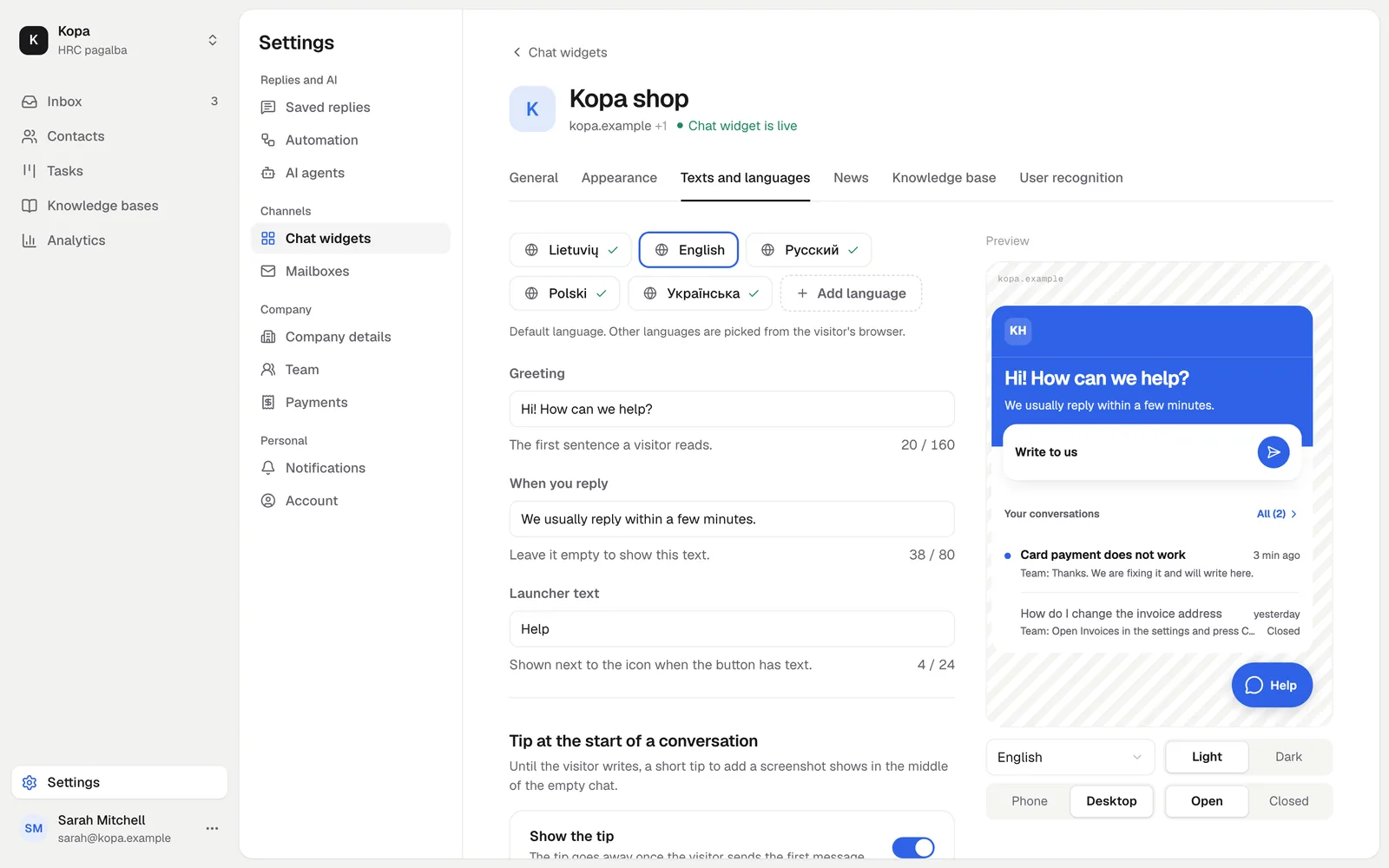
On Texts and languages, add languages and write the greeting, the reply time and the launcher label. For a language outside the 31 ready ones, AI can draft the widget's built-in texts.
Right-to-left languages
For Arabic, Hebrew, Persian and Urdu the widget mirrors its layout.
Changing the language from code
If your site changes language without a page reload, tell the widget:
// switch the language now, or 'auto'
HrcWidget('setLocale', 'pl');
// on logout: forgets the visitor
HrcWidget('reset');
// removes the widget; call init again
HrcWidget('destroy');
E-mails to customers
If a customer has not read your reply within 2 minutes, they get an e-mail. It is written in the language the customer used in the widget.
Did not find the answer? Write to us