



Documentation contents
Inbox and e-mail
Knowledge base
Files
Analytics
Account and billing
Connect your mailboxes
Updated
A connected mailbox brings its e-mail into the same inbox as the chat widget. Replies go out from your address. Owners connect mailboxes in Settings, Mailboxes.
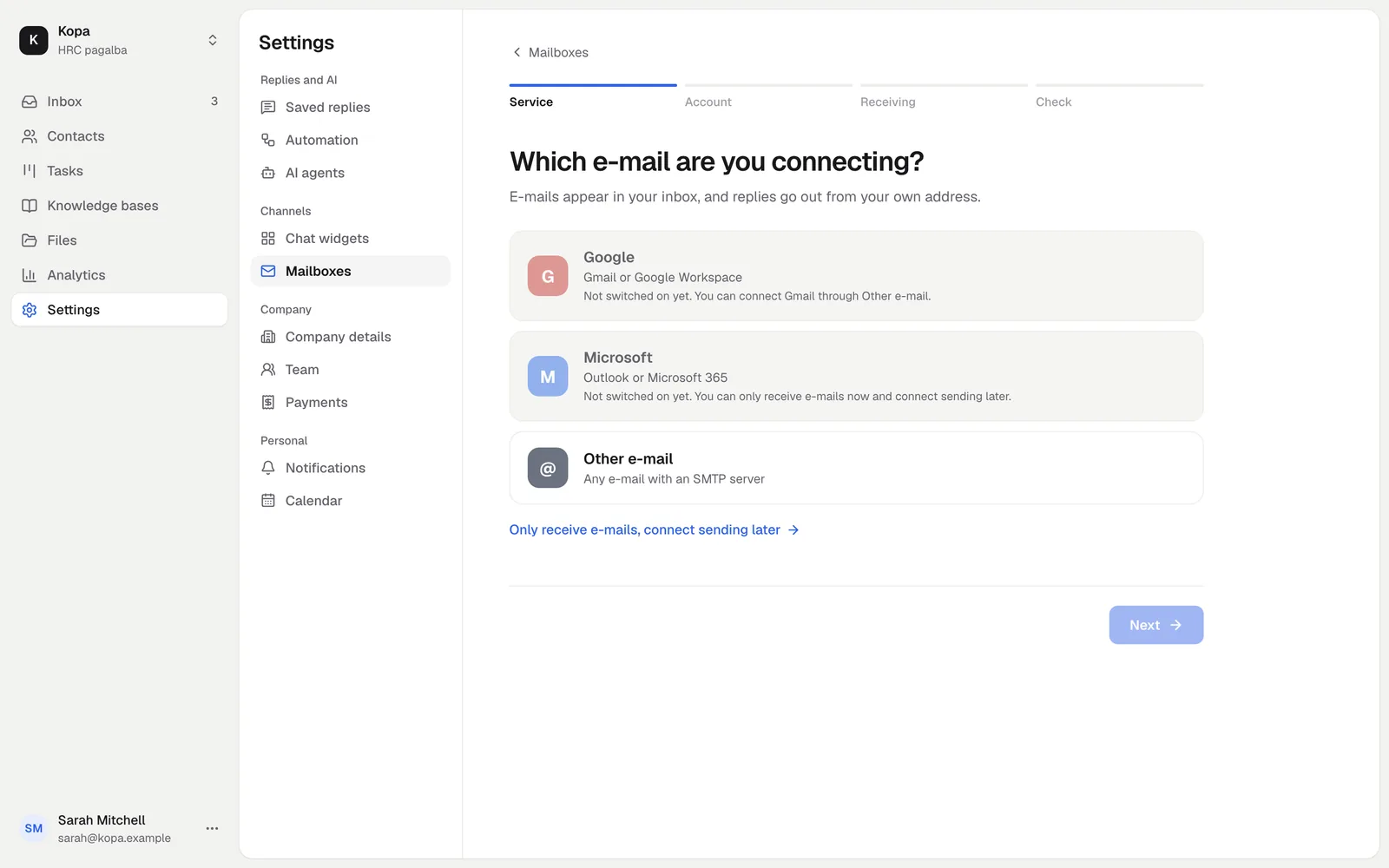
Pick your provider
Sign-in with Google and Microsoft is coming soon. For now, you can connect Gmail and Outlook through Other e-mail.
- Other e-mail: any mailbox with an SMTP server, Gmail included.
- Outlook and Microsoft 365: through Other e-mail, connect receiving only for now and add sending later.
- Google and Microsoft: shown, but not switched on yet.
The test
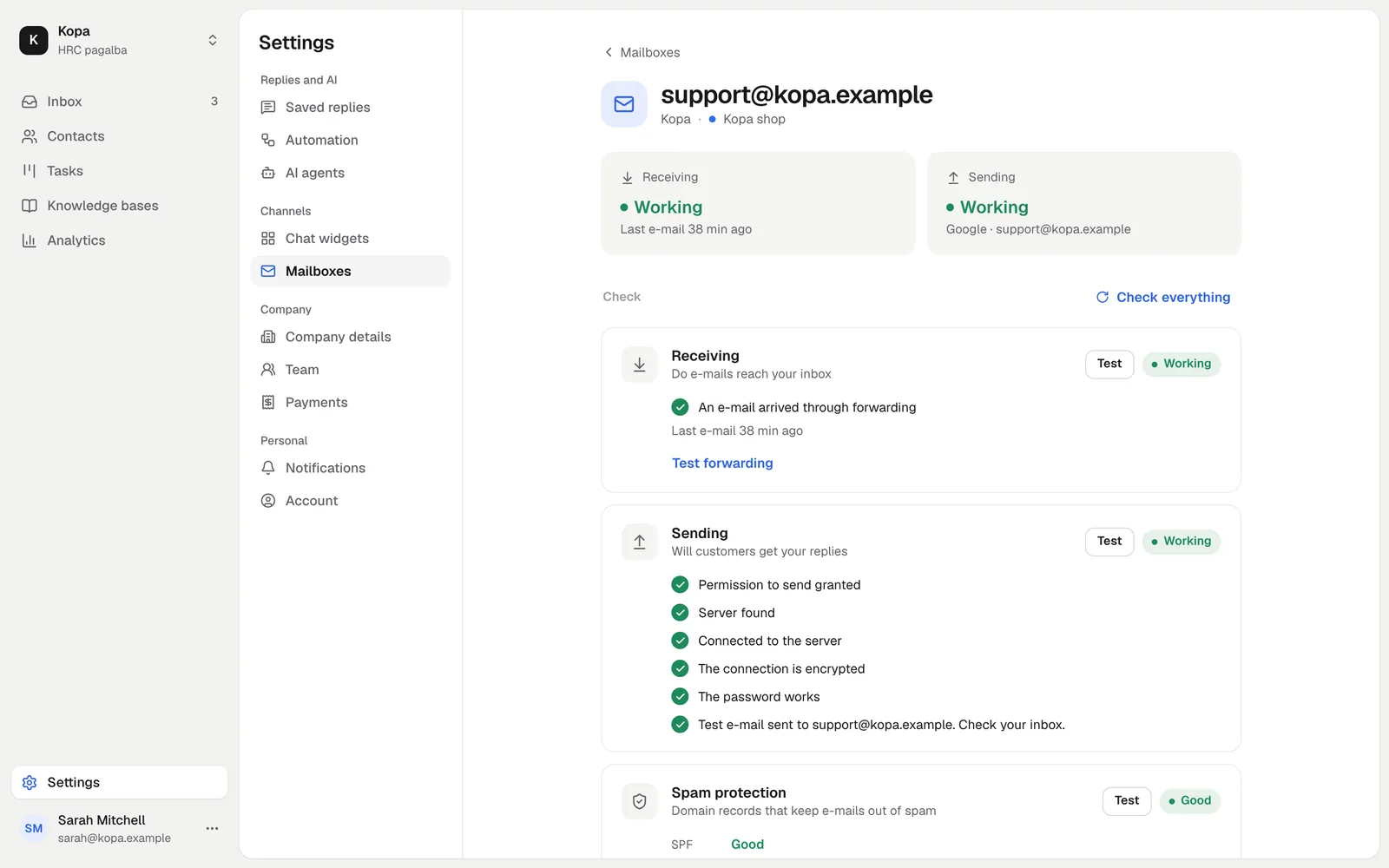
After you connect, a test e-mail goes out. The test shows whether mail goes out and comes in, and whether your domain's SPF, DKIM and DMARC records allow sending on your behalf.
- SPF says which servers may send e-mail for your domain.
- DKIM adds a signature that proves the e-mail was not changed.
- DMARC tells the receiving server what to do with an e-mail that fails SPF or DKIM.
If a record is missing, the test shows what to add to your domain's DNS.
When a mailbox stops working
If a password changed or access was revoked, the mailbox is marked as not working and the owner sees what to fix. Connect it again on the same page.
Did not find the answer? Write to us