



Documentation contents
Inbox and e-mail
Knowledge base
Files
Analytics
Account and billing
The task board and tasks from conversations
Updated
Tasks are work for your team or your developer: a bug to fix or an idea worth doing. They live next to your conversations, so nothing gets lost.
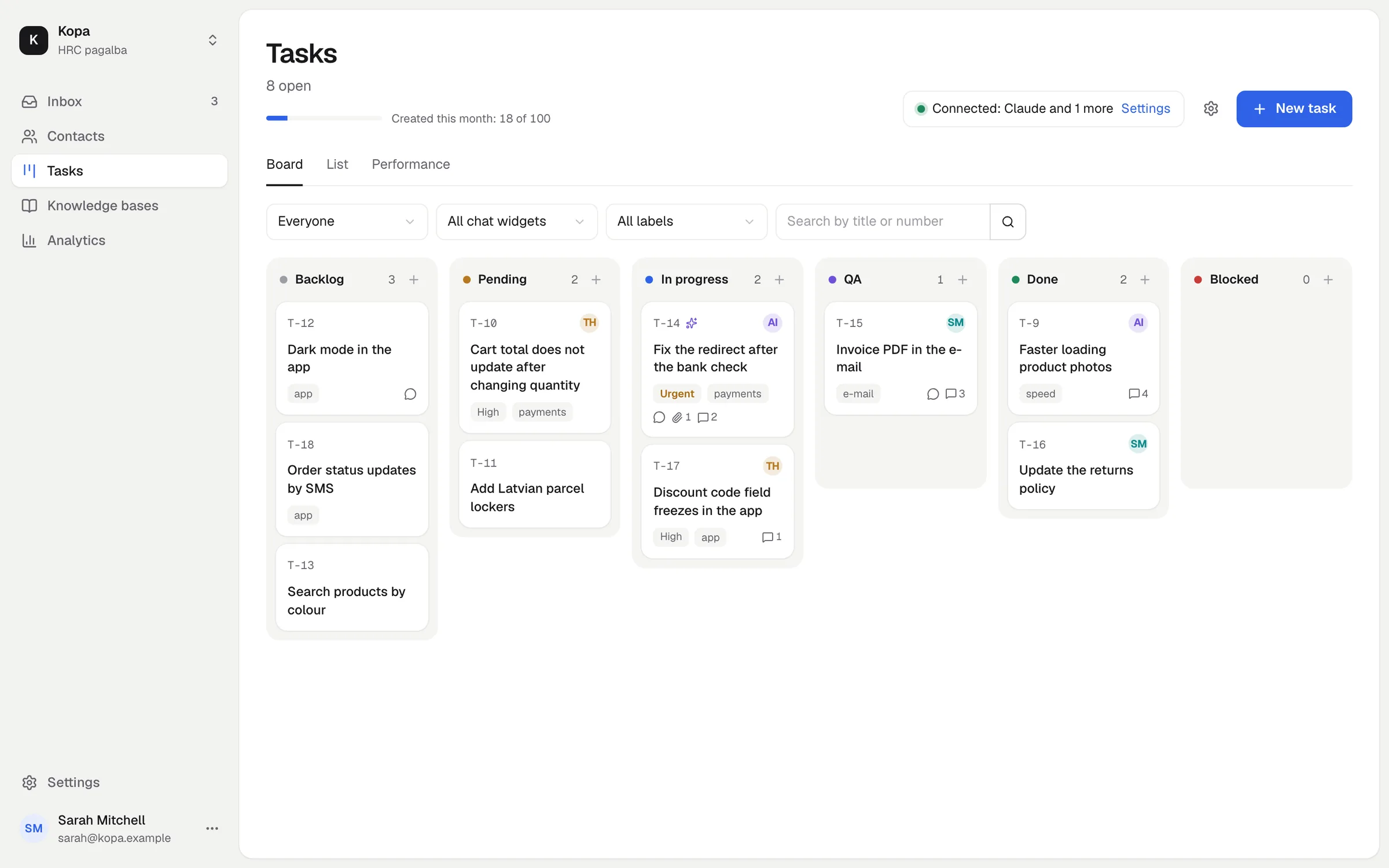
Statuses
Backlog, Pending, In progress, QA, Done and Blocked. Move a task by dragging it on the board or by changing its status in the task window. Tasks are numbered T-1, T-2 and so on.
A task from a conversation
In a conversation, create a task: AI writes the title and description from the conversation and your company's task writing instruction. The customer's screenshots come along, and the conversation stays linked to the task.
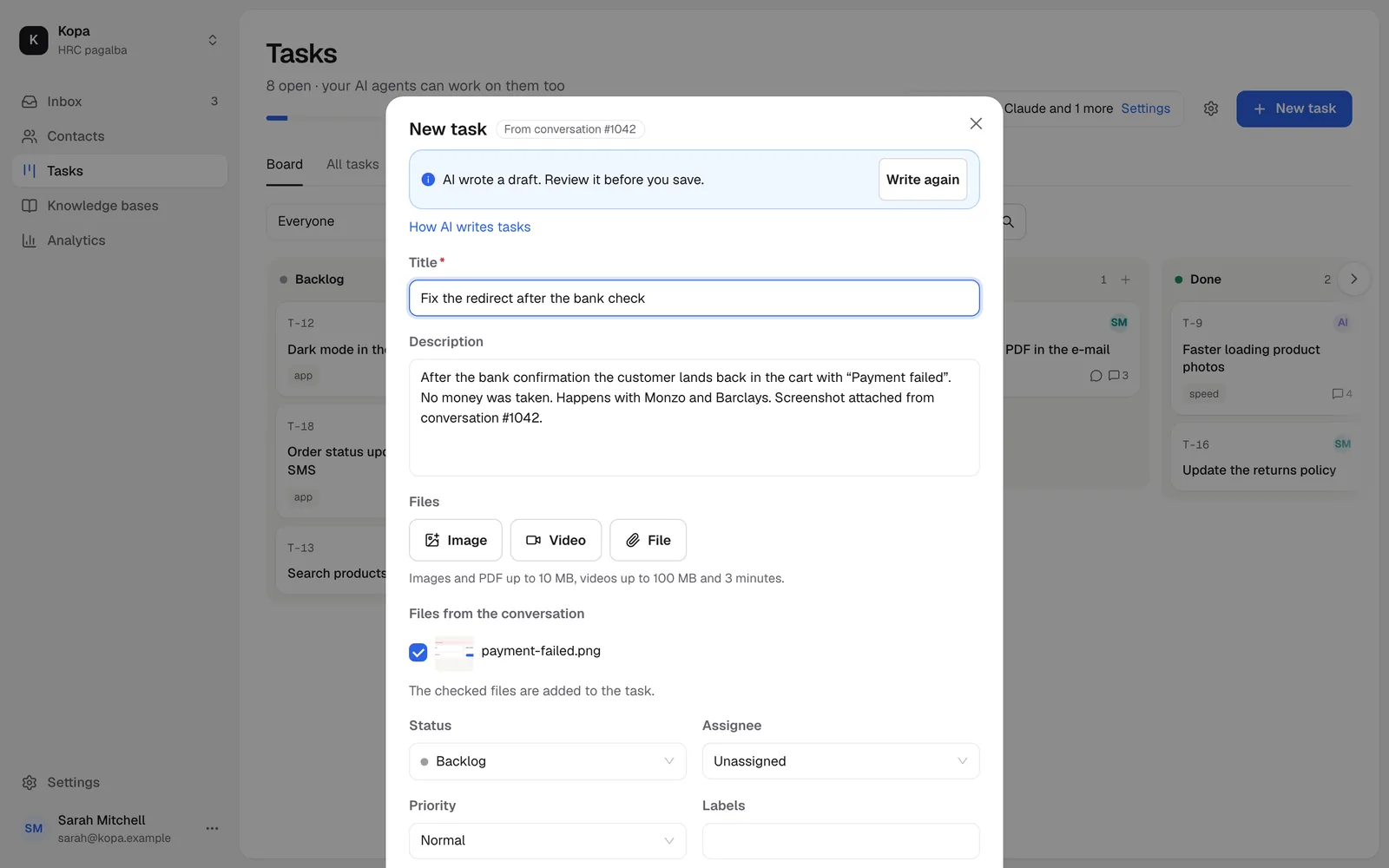
Files, assignees, labels and priority
Attach files to a task, assign it to a member or an AI agent, add labels and set the priority: low, normal, high or urgent.
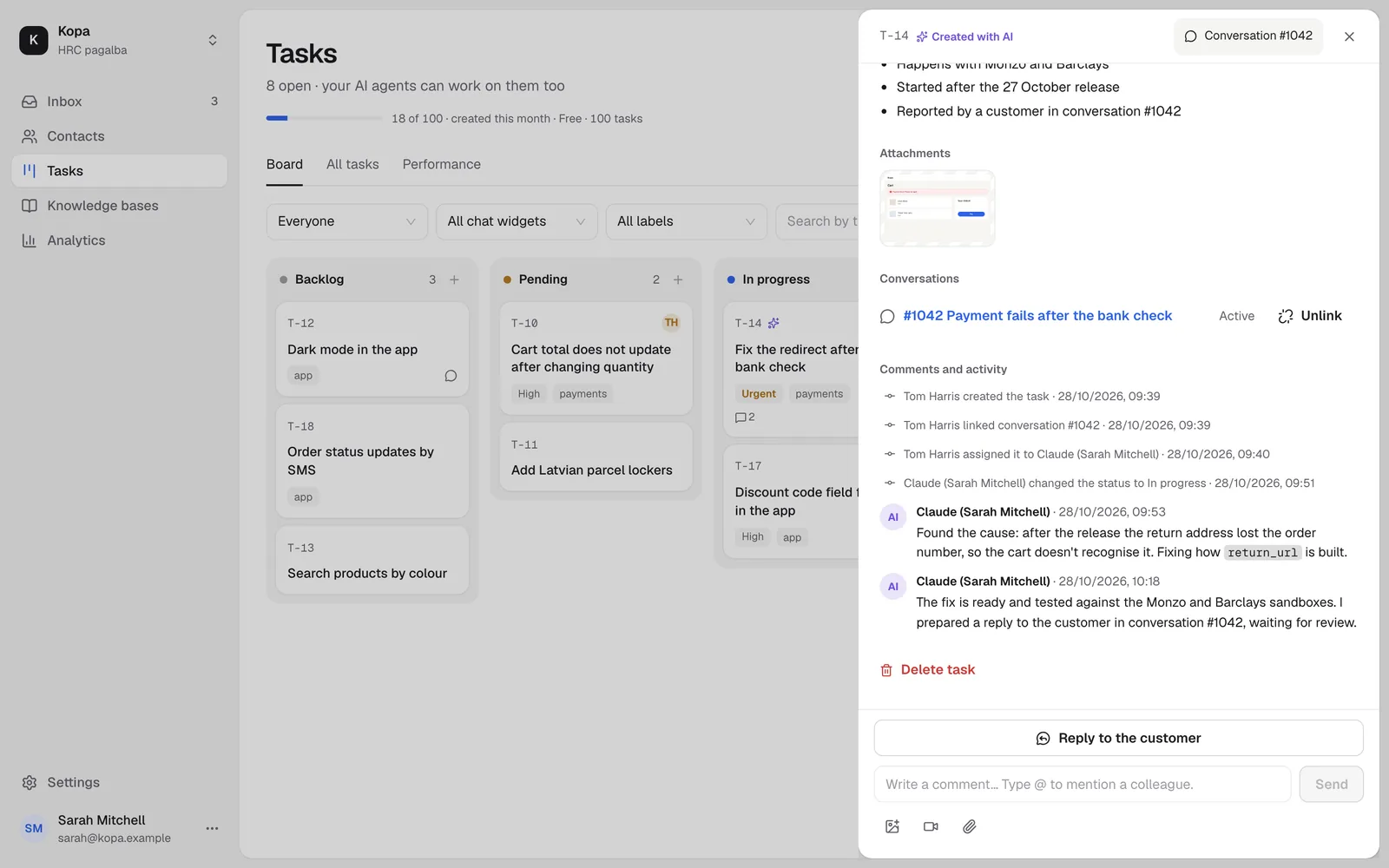
Board, list and Performance
See tasks on the board or as a list. The Performance view shows how many tasks were created and done, and how long they took from "In progress" to "Done".
Telling the customer
Turn on the customer notice in a task. When the task is done, a reply for the customer is prepared in the linked conversation, and you review and send it.
What it costs
30 tasks a month are free. The Tasks add-on gives you more, see Add-ons and billing.
Did not find the answer? Write to us